If your organization uses any Cisco Meraki products, it needs a valid license to operate. Assigning, transferring, and renewing Meraki licenses can be tricky, but authorized Meraki partners like us can make the process easy. Meraki currently offers two licensing models––a new, per-device licensing (PDL) model and a co-termination licensing model (co-term). These different license types impact how organizations manage their Meraki products, including how expiration dates and renewals are handled. Maintaining compliance with licensing requirements is critical to avoid operational issues or potential network shutdowns. There are essential differences between the two models to consider when deciding which model is best for your business.
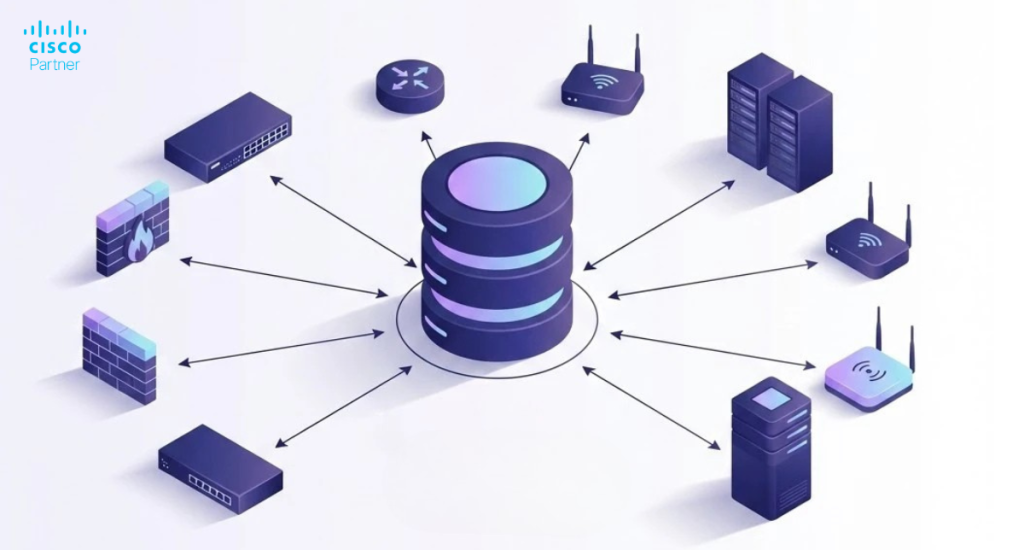
The PDL model offers various new features and enhanced flexibility for new and existing customers of all sizes. Each Meraki device will expire individually on the per-device license instead of the entire organization having a single co-termination date, allowing for dynamic adaptation to changing network requirements. Viewing expiration dates is easy on the inventory or device list and the device details page, and monitoring license status and device health is streamlined through the dashboard and APIs. Organizations can apply new licenses to Meraki devices directly via the dashboard or by using the claimIntoOrganization API, ensuring devices are correctly licensed and managed. A list of upcoming expiration dates can be viewed on the associated devices, supporting proactive license management. Using the dashboard, you can calculate what licenses your organization will need for renewal or when adding new licenses for expanded hardware. After generating a Bill of Materials, your authorized Meraki reseller can assist with renewing your license.
Licenses can be assigned to a specific device or a network and maintain a shared expiration date, or different expiration dates across devices, networks, or organizations. PDL gives the ability to renew all your devices or a subset of devices as you prefer, supporting scalability as your organization grows or changes. Move a license (or licenses and devices together) between organizations without calling into Meraki support. This functionality is available through the dashboard and APIs, emphasizing the simplicity of managing licenses and devices from a single, intuitive interface.
There are ninety days to claim and assign your licenses before they activate. This allowance gives more time to deploy Meraki products before permissions burn time. APIs are available to claim, assign and move licenses. This will allow a greater level of automation and the ability to integrate with other systems, further simplifying the management of your network. If a license expires on a device, Meraki will only shutdown that device or product (after the 30 grace period).
This licensing model helps manage licensing through various sites or organizations when those elements are budgeted or accounted for differently. It can also be helpful to use when adding new hardware or expanding your Meraki infrastructure by allowing you to rationalize expiration dates for new and existing devices intuitively, making it easier to manage all the things—devices, networks, and services—across your organization.
Renewals can be purchased through an authorized Meraki partner. If licenses are not renewed, access will be denied to manage devices via the Meraki cloud, and the Meraki network device will cease to function. This means configurations and changes to your Meraki network device will not be available, and the Meraki network product will no longer pass traffic.
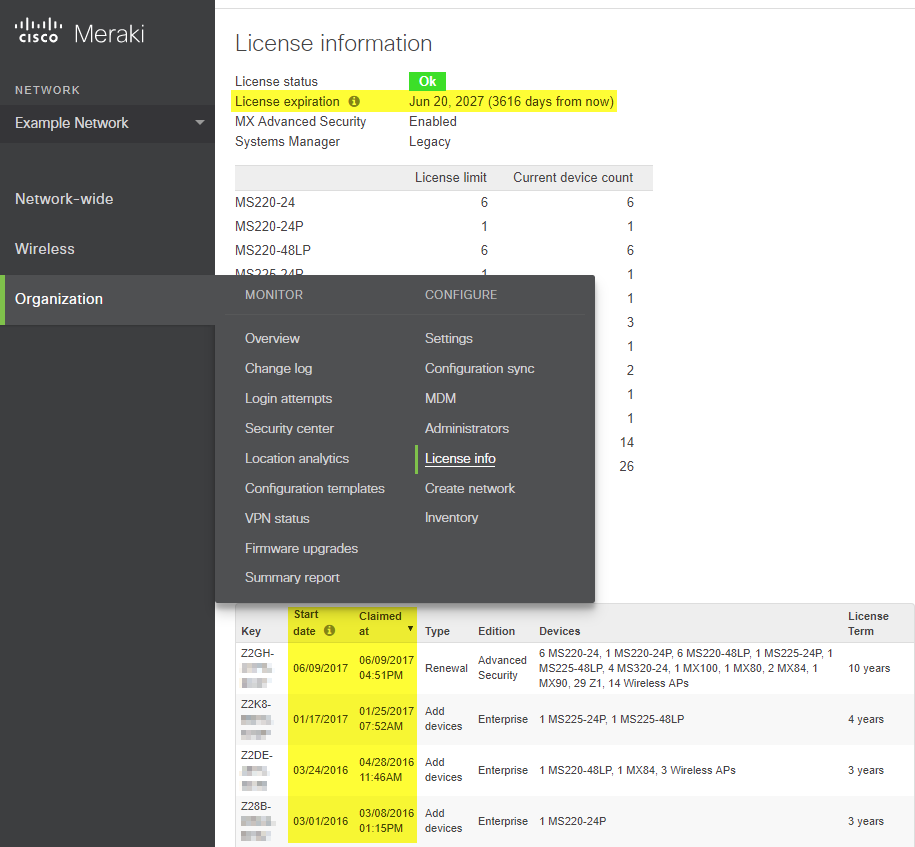
Cisco Meraki licensing works based on co-termination. Any organization, regardless of how many licenses were applied or when they were applied, the license expiration date for all licenses claimed to that organization will be exactly the same. This is determined by averaging all active licenses together and dividing by the License Limit count of devices in the organization. Licenses are typically sold in 1 year increments, and the co-termination model applies the total time purchased across all devices. With the co-termination licensing model, licenses that have been applied to an organization within the last seven days can be reapplied to another organization. Note: The expiration date shown does not include the grace period.
You can purchase a renewal through an authorized Meraki partner. If you choose not to renew, you will no longer be able to manage your devices via the Meraki cloud, and your Meraki network devices will cease to function. This means that you will no longer be able to configure or make changes to your Meraki network equipment, and your Meraki network products will no longer allow traffic to pass to the Internet. With Systems Manager networks, you will no longer be able to enroll devices or change settings for currently enrolled devices.
Co-termination licenses, due to their single expiration date, provide a stable licensing environment and are often easier to manage, making them a simpler and more straightforward option for large enterprises. With centralized management through the Meraki dashboard, organizations can efficiently oversee all devices across multiple locations, streamlining configuration, troubleshooting, and security. While lacking the flexibility and modularity of per-device licensing, this can be a huge time-saver when licensing a large number or variety of devices. The weighted expiration date may also be a better fit for your company, depending on your needs.
As of November 2019, all Meraki customers are using a co-term licensing model by default. PDL is now available for all new and existing customers. If you are a new customer creating a new Meraki organization, you will automatically default to the co-term licensing model. If you wish to be on per-device licensing, you can opt-in via the Meraki dashboard after creating your organization. Licensing is handled on an organization level. Each organization can only have one licensing model. Organizations will use the co-termination model by default, but administrators can opt into the per-device model if they choose. Therefore, these two licensing types cannot be combined.
Every Meraki hardware component requires a cloud license to be managed. Therefore, Meraki hardware that is not licensed will not pass traffic, so ensuring that you have the right Meraki licenses is critical. Failing to renew licenses increases the risk of network shutdowns and operational downtime, which can disrupt business continuity. Licensing varies between different Meraki product lines, e.g., wireless, switches, and security appliances. If you are having difficulty navigating which licensing is best for your organization, a Cisco Meraki reseller, like Stratus, can help.
For more information and detailed resources about Meraki licensing, please visit the official Meraki website or contact Stratus for a comprehensive review of your options.