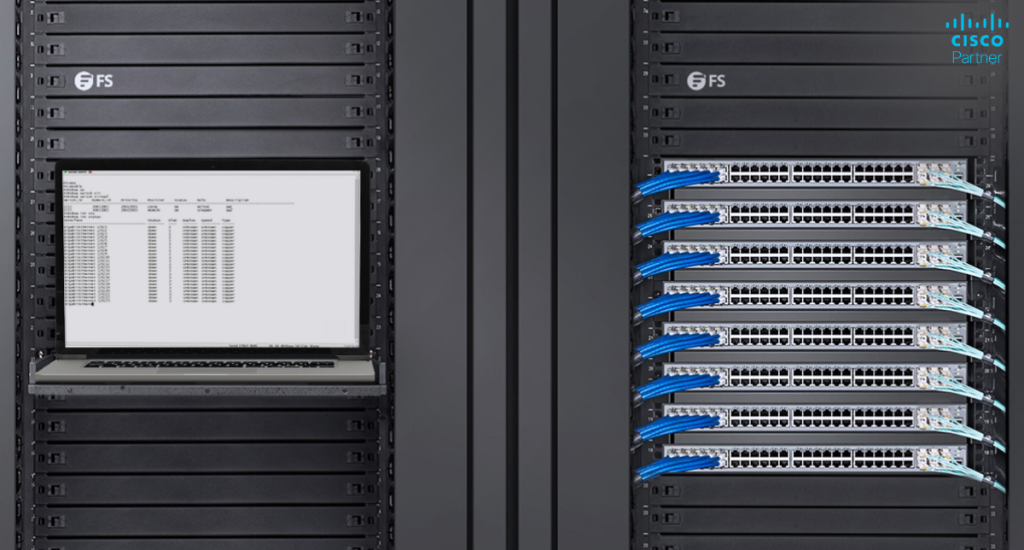
Switching architecture shapes resiliency, management overhead, uplink design, and the speed at which IT teams can expand or repair the network. In environments with growing access-layer demands, switch stacking helps move the design away from isolated boxes and toward a cleaner, more unified structure. That matters in branch offices, schools, healthcare sites, retail environments, and larger enterprise networks, where consistency and uptime directly affect daily operations.
On Cisco Meraki switches, stacking delivers practical advantages that go beyond cabling convenience. It can simplify switch administration, support redundancy, reduce uplink complexity, and create a more resilient access layer. In this article, let’s have a closer look at those benefits in a way that is useful for planning, procurement, and deployment, with special attention to popular access models such as the Meraki MS225 and related MS series options.
As networks grow, switch management becomes harder to scale when every switch operates as a separate island. Each addition introduces more uplinks, more configuration points, and more chances for inconsistent policy. In many environments, that leads to slower changes, more troubleshooting time, and greater operational risk.
Stacking addresses those issues by grouping multiple switches into a single logical unit. That logical view simplifies day-to-day operations and improves physical resiliency when the stack is designed properly. The result is a cleaner access layer that is easier to expand, easier to monitor, and better prepared for hardware or uplink failures.
On select Cisco Meraki switch families, stacking allows multiple switches to operate together and forward traffic across dedicated stack links instead of using front-side network ports for inter-switch communication. That keeps east-west traffic inside the stack path and frees front ports for endpoint and uplink duties.
Meraki supports more than one stacking method. Physical stacking uses dedicated stacking ports on supported models. Flexible stacking is available on MS420 and MS425 series switches, where selected front ports can be converted into stack ports. In both cases, the design goal is similar: manage several switches as one larger unit while improving connectivity and fault tolerance.
A stack also has an active switch. On most MS stacks, one unit acts as the active member and manages stack-wide functions such as the spanning tree. Other units serve as members. On MS390 stacks, one switch can act as a standby as well. This active-member behavior matters during failover, maintenance, and troubleshooting, especially in larger access-layer deployments.

One of the clearest benefits of stacking is easier management. Instead of treating each switch as a separate operational point, administrators can work with the stack as a single logical switching platform. That reduces repetitive tasks and creates a cleaner workflow for adds, moves, changes, and maintenance.
This advantage becomes even stronger in the Meraki environment because switch operations are tied into Dashboard. Meraki’s broader stacking model, including its virtual management approach, supports mass changes across large groups of ports and switches. Administrators can search by switch name, port label, or tag and apply changes across many ports at once. That is useful in distributed networks where standardized edge designs need to be repeated across many closets or sites.
For example, a business might reserve one group of ports for VoIP handsets, another for access points, and another for user devices. Tagged port groups can then be changed in bulk instead of one switch at a time. In a multi-floor or multi-site rollout, that saves meaningful time and lowers the chance of human error. The same operational logic works well with access stacks built on the Meraki MS225, especially in wiring closets where consistent port roles matter.
There is another management advantage that many teams overlook: easier growth. Adding a new switch to an existing stack can preserve operational consistency when done correctly. Cloning and replacement workflows help keep the new member aligned with the rest of the stack, which is useful during refresh cycles and failure recovery.
Resilience is one of the strongest reasons to stack switches in the first place. A well-built physical stack can keep traffic flowing even if one switch or one uplink path fails. Dedicated stack links create alternate internal paths, and cross-stack uplink design helps keep the stack connected to aggregation or distribution even when a single component drops out.
This matters for network resilience, especially in organizations where access outages affect phones, wireless access points, badge systems, cameras, or business-critical client devices. A stack can provide Layer 3 gateway redundancy and Layer 2 dual-homing redundancy. Once the full stack is cabled correctly, a single uplink may be enough for connectivity, though many deployments add multiple uplinks for better redundancy and throughput.
Cross-stack link aggregation adds another layer of protection. In a resilient design, uplinks can be distributed across different members of the stack rather than anchored to one chassis. That lowers the risk that one switch failure takes down the entire closet. In a business that depends on constant wireless access or voice continuity, this is one of the most practical benefits of switch stacking.
Stacking is not only about failover. It also improves traffic handling inside the access layer. Dedicated stack links move inter-switch traffic off the front-side network interfaces, which can help keep uplinks and user-facing ports available for their intended roles. That separation becomes more valuable as endpoint density rises.
On supported Meraki models, stacking links provide high-speed paths between members. The available stack data rate depends on the switch family. The Meraki MS210, MS225, MS250, MS350, MS410, and MS425 families use 40 Gigabit stacking cables. MS150, MS355, and MS450 move into higher-rate options. That makes model choice important when closet density, uplink load, or future growth are part of the design.
In practical terms, stacking can reduce chokepoints created by daisy-chained inter-switch uplinks. It also gives the access layer a cleaner performance profile in dense user environments, especially when many APs, phones, and wired clients share the same closet.
Not every Meraki switch supports stacking, and not every stacked switch can be mixed with any other model. On MS switches, stacking generally follows like-model rules. An MS350 can stack with another MS350 family member, though it should not be mixed with an MS250. One notable exception is compatibility between Meraki MS210 and Meraki MS225 switches, which can be members of the same physical stack.
That exception makes the Meraki MS225 especially relevant in organizations that already have MS210 hardware in place and want a measured upgrade path. It gives IT teams some flexibility during phased refreshes without forcing a same-model-only replacement in every closet at once.
Stack size matters too. Up to eight switches can be configured in a physical or flexible stack, depending on the platform. That gives plenty of room for closet-scale designs in schools, offices, hospitals, and retail sites where large access counts are common.

The benefits of stacking depend heavily on correct implementation. Physical stacks should be cabled in a ring topology, not a simple line. A ring gives the stack a full path around the loop, which improves resiliency if one stack link fails. Powering up the switches after stack cabling and letting them complete firmware synchronization before full stack provisioning helps reduce deployment issues.
Consistency matters in another area too: firmware. New members should be on the same firmware build as the rest of the stack before they are added. Failing to do that can delay provisioning or create stacking problems during expansion or replacement workflows.
There are a few limitations worth planning around. When a new switch stack is created, certain standalone configurations such as link aggregates, mirrored ports, and SVIs are removed from the stand-alone switch and need to be re-created on the stack. In static-management environments, MS model stacks generally require a management IP for each switch, with exceptions in Catalyst-managed cases such as MS390 behavior. These details influence planning in environments with strict addressing policies or heavy Layer 3 use.
Switch stacking is especially useful in access-layer closets that carry high client density or support business-critical services. Schools with dense classroom AP deployments, hospitals with clinical endpoints, offices with many IP phones, and retail sites with POS systems and wireless devices all benefit from a cleaner, more resilient access layer.
It is also valuable in organizations with repeated closet designs. If each floor or branch follows a common model, stacks can standardize port roles, uplinks, and redundancy patterns. That makes future changes easier and supports faster rollout across multiple sites. In many of these designs, the Meraki MS225 remains a strong fit because it balances enterprise feature depth with access-layer practicality. Used carefully, three or four mentions like this are enough for SEO without making the keyword feel forced.
Switch stacking on Cisco Meraki MS models brings real operational value. It simplifies switch management, supports resiliency, improves internal traffic flow, and creates a stronger access-layer design for growing networks. When paired with thoughtful uplink design and consistent deployment standards, stacking can reduce downtime risk and make future growth easier to handle.If your team is planning a closet refresh, comparing MS series options, or looking at the right design for an access-layer rebuild, Stratus Information Systems can help you select the right Cisco Meraki switching platform, build the stack correctly, and align the design with your broader wireless and security goals.