Endpoint Security with Meraki: Protecting Devices Across Your Network

Endpoint security has become synonymous with antivirus software installed on individual computers—essential but incomplete. Modern endpoint security must address threats arriving through networks, not just executed locally. A laptop downloading malware over the network needs protection from both device-level defenses and network-level controls that prevent malicious downloads in the first place.

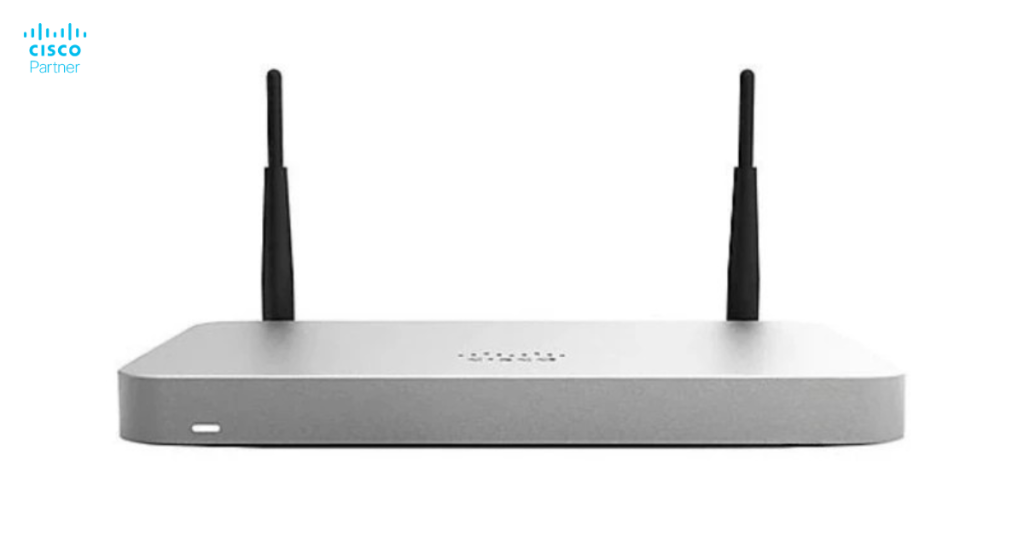
Cisco Meraki security appliances protect endpoints by controlling network traffic at the gateway—preventing malicious content from reaching devices in the first place. This network-layer approach complements traditional endpoint protection, creating comprehensive defense-in-depth security architecture.

Understanding Endpoint Security Layers

The Traditional Approach: Device-Level Defenses

Endpoint protection software installed on individual devices:

  • Scans files for malware
  • Monitors running processes
  • Blocks known threats
  • Updates threat signatures regularly

This approach works, but has limitations:

  • Update lag: Unknown threats circulate before signatures are created
  • Performance impact: Antivirus scanning consumes device resources
  • User circumvention: Determined users can disable protections
  • Unmanaged devices: Personal devices outside corporate control receive no protection

Network-Layer Defenses: The Meraki Advantage

Cisco Meraki security appliances provide network-layer protection complementing device-level defenses:

  • Content filtering blocks malicious websites proactively
  • Intrusion detection identifies attack patterns in traffic
  • DNS filtering prevents connections to malicious domains
  • Application control manages risky applications
  • Threat prevention blocks known attacks before reaching devices

This network approach provides several advantages:

  • Universal protection – All devices benefit, regardless of OS or endpoint software
  • Immediate response – Threats blocked before reaching any device
  • Reduced overhead – No per-device installation or configuration
  • Unmanaged device protection – Guest WiFi, contractors, visitors protected automatically

How Meraki Protects Endpoints

Content Filtering

The MX appliance can block entire categories of content:

  • Adult content – Inappropriate for work environments
  • Malware sites – Known sources of malicious software
  • Phishing sites – Attempts to steal credentials
  • Botnet command servers – Control infrastructure for compromised devices
  • Ransomware sources – Dangerous malicious software

Organizations can allow legitimate sites in blocked categories (researcher needing adult health information, for example) while blocking the category by default.

Intrusion Detection and Prevention (IDS/IPS)

The Meraki MX analyzes traffic patterns identifying attacks:

  • Exploit attempts – Attacks targeting known vulnerabilities
  • Botnet communication – Infected devices phoning home to attackers
  • Denial of service attacks – Traffic floods attempting to crash systems
  • Suspicious connections – Network patterns suggesting compromise

The appliance can either:

  • Detection mode – Alert administrators without blocking
  • Prevention mode – Actively block identified threats

Prevention mode provides stronger protection but increases false-positive risk if tuned too aggressively.

DNS Filtering

Many attacks start with DNS requests to malicious domains:

  1. Infected device queries: “What’s the IP of evilsite.com?”
  2. If the query returns a valid IP, the device connects and downloads malware
  3. If Meraki blocks the query, the device can’t connect

DNS filtering prevents the first step by blocking requests to known malicious domains, preventing any device from connecting regardless of endpoint protection status.

Application Control

Meraki can block or throttle specific applications:

  • Peer-to-peer – BitTorrent and file sharing that consume bandwidth
  • Cloud storage – Dropbox, OneDrive exposing files outside organization
  • Streaming – YouTube, Netflix consuming bandwidth
  • Gaming – Multiplayer games distracting from work
  • Messaging – Telegram, Signal potentially carrying malware

This prevents users from unknowingly installing compromised versions of popular apps.

Threat Prevention

Meraki leverages threat intelligence from billions of network events:

  • Zero-day threats – Unknown attacks identified through behavioral analysis
  • Advanced malware – Sophisticated threats designed to evade traditional antivirus
  • Ransomware – Malicious software encrypting files for extortion

Threat prevention uses machine learning analyzing traffic patterns identifying malicious activity even when specific signatures don’t exist.

Endpoint Security Architecture

Defense-in-Depth Strategy

Comprehensive endpoint security layers multiple defenses:

Layer 1: Network Perimeter

  • Firewall blocking unauthorized inbound connections
  • Intrusion prevention blocking known attacks
  • DNS filtering preventing malicious domain connections

Layer 2: Content Security

  • Content filtering blocking malicious websites
  • Threat prevention identifying advanced attacks
  • Application control managing risky applications

Layer 3: Access Control

  • Multi-factor authentication ensuring only authorized users access systems
  • Conditional access limiting connections from risky devices
  • Network segmentation isolating sensitive resources

Layer 4: Endpoint Protection

  • Antivirus/antimalware on individual devices
  • Host-based intrusion detection monitoring running processes
  • Encryption protecting data if device is lost or stolen

Layer 5: Response

  • Incident response procedures activating when threats are detected
  • Isolation of compromised devices preventing spread
  • Forensic investigation determining scope of compromise

This layered approach means if one layer fails, others provide protection.

Implementing Endpoint Security with Meraki

Step 1: Configure Firewall Rules

Basic protection starts with proper firewall configuration:

  1. Block all inbound connections by default
  2. Allow only necessary inbound traffic
  3. Log all blocked connections
  4. Review logs regularly for patterns

This prevents the network from accepting uninvited inbound connections.

Step 2: Enable Intrusion Prevention

In the Meraki dashboard:

  1. Go to Security > Intrusion detection and prevention
  2. Set mode to Prevention
  3. Select sensitivity level (Standard recommended to start)
  4. Monitor alerts for false positives
  5. Adjust sensitivity if too many legitimate connections are blocked

Step 3: Configure Content Filtering

  1. Go to Security > Content filtering
  2. Block high-risk categories (malware sites, phishing, ransomware)
  3. Allow categories your organization needs
  4. Configure custom URL lists
  5. Set blocked page message explaining why content is blocked

Step 4: Enable DNS Filtering

  1. Go to Security > DNS filtering
  2. Enable DNS filtering for all networks
  3. Select threat categories to block
  4. Configure allowed and blocked lists
  5. Monitor DNS query logs

Step 5: Implement Application Control

  1. Go to Security > Application layer gateway
  2. Enable protocols your organization uses
  3. Block protocols creating security risk
  4. Monitor application usage
  5. Adjust policies based on business needs

Step 6: Deploy Endpoint Protection Software

Complement network security with device-level protection:

  1. Deploy antivirus to all managed devices
  2. Configure automatic signature updates
  3. Enable real-time scanning
  4. Set up reporting and alerting
  5. Regularly audit enforcement

Zero Trust Architecture with Meraki

Beyond Network Perimeter

Traditional security trusts anyone inside the network. Zero Trust assumes no implicit trust, requiring verification of every access attempt.

Meraki enables Zero Trust through:

Identity-Based Access Control

Rather than allowing all network traffic, verify user identity:

  1. Users authenticate before network access
  2. Network policies based on user identity and device
  3. Users with high-risk devices get restricted access
  4. Continuous re-authentication checks

Device Compliance

Only compliant devices access sensitive resources:

  1. Device must run current OS patches
  2. Antivirus must be installed and active
  3. Encryption must be enabled
  4. Device compliance regularly verified

Non-compliant devices get quarantined in restricted network.

Micro-Segmentation

Sensitive resources isolated from general network:

  1. Database servers isolated to authorized users only
  2. Finance systems accessible only from certain IP ranges
  3. Healthcare data restricted by HIPAA requirements
  4. Development systems isolated from production

If a device is compromised, isolation limits damage spread.

Compliance and Reporting

Regulatory Requirements

Many regulations mandate specific endpoint security controls:

  • HIPAA – Requires access controls and encryption
  • PCI-DSS – Requires firewall, antivirus, and monitoring
  • NIST Cybersecurity Framework – Suggests defense-in-depth approach
  • SOC 2 – Requires monitoring and incident response capabilities

Meraki provides controls satisfying these requirements.

Audit Trails

Maintain detailed logs for compliance audits:

  1. Enable logging for all security events
  2. Store logs securely (consider off-site backups)
  3. Generate regular compliance reports
  4. Monitor for suspicious activity
  5. Investigate incidents thoroughly

Security Assessments

Regularly evaluate endpoint security effectiveness:

  1. Penetration testing identifying weaknesses
  2. Vulnerability scanning finding unpatched systems
  3. Configuration review ensuring policies are optimal
  4. Incident simulation testing response capabilities
  5. Metrics review tracking trends

Common Endpoint Security Challenges

Balancing Security and Usability

Too-restrictive policies cause user frustration and workarounds:

  • Users circumvent protections to get work done
  • Overly-blocked content prevents legitimate access
  • Complex processes encourage shadow IT

Find balance through:

  • User feedback mechanisms
  • Regular policy review
  • Legitimate exceptions for business needs
  • Clear communication of policies

Keeping Pace with Threats

New threats emerge constantly:

  • Attackers develop novel malware
  • Exploit kits target vulnerabilities
  • Social engineering evolves
  • Advanced persistent threats become sophisticated

Address through:

  • Regular security updates and patches
  • Threat intelligence subscriptions
  • Industry participation and knowledge sharing
  • Security training for staff

Managing Unmanaged Devices

BYOD, contractor, and visitor devices exist outside organizational control:

  • No guarantee of patches or antivirus
  • Personal preferences may disable security
  • Devices potentially compromised
  • Network must protect against them

Solutions:

  • Guest networks isolated from corporate systems
  • Network-level protections (no reliance on device-level)
  • Conditional access restricting unmanaged device capabilities
  • VPN requirements for sensitive access

Best Practices for Endpoint Security

Defense-in-Depth

Never rely on single layer of protection. Combine:

  • Network controls (Meraki firewall)
  • Access controls (authentication, authorization)
  • Endpoint protection (antivirus, encryption)
  • Detection (monitoring, alerting)
  • Response (incident procedures)

Continuous Monitoring

Static security configurations become outdated. Continuously:

  • Monitor threat landscape
  • Update security policies
  • Audit compliance
  • Test detection capabilities
  • Review security events

User Education

Technical controls alone insufficient. Educate users about:

  • Phishing and social engineering
  • Password security
  • Safe browsing practices
  • Suspicious activity reporting
  • Data handling

Training creates human firewall complementing technical controls.

Incident Response Planning

Plan before incidents occur:

  • Define incident types
  • Establish response procedures
  • Assign responsibility
  • Test response through simulations
  • Document lessons learned

Good planning reduces incident impact and recovery time.

Getting Expert Assistance

For organizations building or improving endpoint security, Stratus Information Systems provides strategy and implementation guidance. Our team helps design comprehensive endpoint security architectures leveraging Cisco Meraki firewalls alongside complementary controls.

Endpoint security requires layered defenses acknowledging that no single control provides complete protection. Network-layer security from Meraki, combined with device-level protection and access controls, creates comprehensive defense protecting endpoints against modern threats.

Do you like this article?

Share with friend!

Last Articles:
Most Popular Posts:

Read also

Stratus Information Systems - Cisco Meraki Channel Partner
Request a Free Quote
Whether you are considering moving to a cloud-hosted solution for the first time or just refreshing old gear, Stratus has the knowledge and expertise to set your organization up for a flawless network deployment.
Enter your requirements or upload your Bill of Materials (BoM) below
Thank you!
We are working on your request and we will contact you as soon as possible. Have a nice day!