Cisco Meraki firewalls are a cornerstone of modern network management, offering robust security and intuitive controls. One critical aspect of firewall management is opening specific ports to allow necessary traffic. Whether enabling VoIP systems, supporting gaming servers, or configuring business-critical applications, managing Meraki firewall ports is essential for ensuring smooth data flow and optimal network performance.
This article provides a comprehensive guide on opening ports on a Meraki firewall, emphasizing the importance of secure and precise port configurations. For personalized support with Cisco Meraki products, reach out to Stratus Informational Systems today.
Cisco Meraki devices, such as the MX Security Appliance, are a type of network equipment engineered to deliver optimal security and streamlined network management for organizations of all sizes. These devices come equipped with advanced features like stateful firewalls, intrusion detection, and traffic shaping, ensuring that network traffic flow remains secure and efficient at all times. Network administrators benefit from the intuitive, cloud-based Meraki Dashboard, which serves as a centralized hub for configuring firewall settings, monitoring network traffic, and enforcing robust security policies. With Meraki’s security appliances, businesses can achieve comprehensive protection and simplified management, making it easier to maintain a secure and high-performing network environment. Keeping firmware versions up-to-date on Meraki firewalls is essential for maintaining security, stability, and access to the latest features.
Firewall ports act as virtual entry and exit points for network traffic. Meraki firewalls use a stateful firewall approach to track the state of network connections, distinguishing between new and established connections to enhance security and manage traffic flow. They determine how data flows between devices and the internet, ensuring communication remains secure and efficient. By controlling these ports, network administrators can regulate which applications or services are accessible.
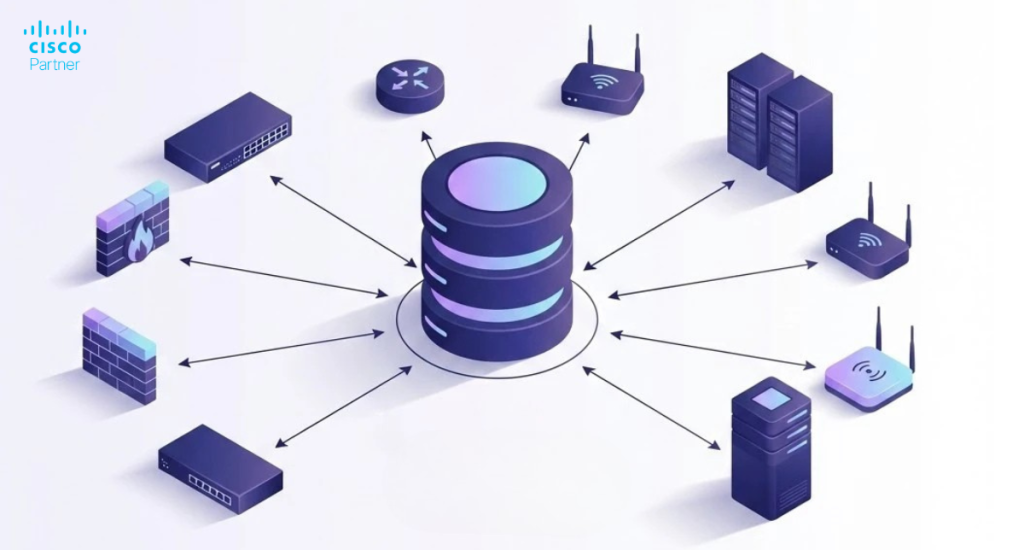
The Meraki firewall’s architecture is designed for simplicity and scalability. Meraki firewalls support SD-WAN features and can be deployed as WAN appliances, enabling advanced network configurations and improved performance across distributed sites. Managed through a centralized cloud-based dashboard, it provides user-friendly tools to configure Meraki ports, monitor traffic, and enforce security policies. VPN concentrator mode is available for simplified VPN integration, allowing the appliance to be easily incorporated into inbound firewall setups in specific deployment scenarios. Its seamless integration with other Meraki devices ensures comprehensive network visibility.
Improper port configurations can lead to vulnerabilities or connectivity issues. Ensuring accurate setup of Meraki firewall ports minimizes risks, enhances performance, and maintains compliance with organizational policies.
Before making changes, back up your current Meraki configurations. This ensures you can restore settings if needed.
Managing outbound rules is a fundamental aspect of Meraki firewall management, as these rules determine how outbound traffic leaves your network and reaches the internet. By configuring outbound rules, network administrators can control which types of traffic, destination IP addresses, ports, and protocols are permitted or blocked. This targeted approach helps minimize exposure to potential threats and ensures that only necessary traffic is allowed, supporting both security and compliance objectives. Regularly reviewing and updating outbound rules is essential to adapt to evolving business requirements and to maintain a secure network posture. Effective outbound rule management is key to safeguarding your network while enabling essential connectivity.
Layer 7 firewall rules offer powerful, application-level control over network traffic on Meraki devices. These rules enable network administrators to allow or block traffic based on specific applications, user groups, or content types, rather than just ports or IP addresses. For example, you can restrict access to social media sites, block known malicious traffic, or prioritize bandwidth for critical business applications—all from the Meraki Dashboard. By leveraging Layer 7 firewall rules, organizations can enforce granular security policies, optimize traffic flow, and reduce the risk of cyber threats. The user-friendly interface of the Meraki Dashboard makes it easy to configure, manage, and monitor these advanced firewall rules, empowering administrators to maintain both security and productivity across the network.
Forwarding rules, including port forwarding rules and 1:1 NAT mappings, are essential for managing inbound traffic to your network. By default, inbound connections are denied on Meraki firewalls, and explicit port forwarding rules are required to allow specific inbound traffic. These rules allow network administrators to direct specific types of traffic—such as web requests or remote access—to designated servers or devices, while blocking unauthorized attempts to access internal resources. By carefully configuring forwarding rules, businesses can ensure that only legitimate inbound traffic reaches critical systems, reducing the risk of potential threats. The Meraki Dashboard provides comprehensive tools for creating custom forwarding rules, monitoring traffic flow, and adjusting settings as needed. This level of control helps maintain secure access to network resources while supporting business operations.
Integrating Meraki devices with the Cisco Meraki Cloud unlocks a host of benefits for modern network management. Through the Meraki Cloud, organizations gain centralized control over all connected devices, enabling automated firmware updates, real-time monitoring of network traffic, and streamlined enforcement of security policies. This cloud-based approach simplifies the management of complex networks, enhances visibility into network traffic, and provides advanced tools for identifying and mitigating potential threats. By leveraging Meraki Cloud integration, businesses can optimize traffic flow, improve overall security, and ensure their network infrastructure remains agile and resilient in the face of evolving challenges.
Content filtering is a vital component of network security, empowering organizations to control the types of content accessible within their environment. With a Cisco Meraki device, administrators can leverage the Meraki dashboard to easily configure and enforce content filtering rules that align with their organization’s security policies. This process involves selecting categories of websites, applications, or file types to block or allow, ensuring that only appropriate and safe content traverses the network. By proactively filtering out potentially harmful or inappropriate content, organizations can significantly reduce the risk of malicious traffic and protect users from potential threats. The intuitive interface of the Meraki dashboard streamlines the management of content filtering, making it simple to update policies as organizational needs evolve. Implementing robust content filtering not only safeguards sensitive data but also helps maintain compliance and productivity across the network.
Optimizing firewall rules is essential for maintaining both the security and efficiency of your network infrastructure. Effective firewall management involves configuring rules that precisely control inbound and outbound traffic, allowing only what is necessary for business operations while blocking all other traffic. Using the Meraki dashboard, administrators can create and refine firewall rules based on specific IP addresses, ports, and protocols, tailoring access for different types of traffic such as VoIP traffic, VPN traffic, and web applications. Regularly reviewing and updating these rules ensures that your network adapts to changing requirements and remains protected against emerging threats. Additionally, implementing traffic shaping and Quality of Service (QoS) policies allows you to prioritize critical business applications, ensuring optimal network performance even during periods of high demand. By continuously optimizing firewall rules, organizations can achieve a balance between robust security and seamless connectivity.
Ensuring optimal network performance is crucial for supporting business operations and delivering a seamless user experience. Cisco Meraki devices offer a suite of tools within the Meraki dashboard to help administrators monitor and enhance network performance. Techniques such as traffic shaping and QoS enable the prioritization of critical business applications, ensuring that essential traffic receives the necessary bandwidth. Features like link aggregation can further boost throughput and reliability. To maintain both performance and security, the Meraki platform supports advanced capabilities such as deep packet inspection and intrusion detection, which help identify and mitigate potential threats before they impact the network. By regularly monitoring network metrics and adjusting configurations as needed, organizations can proactively address bottlenecks and maintain high levels of efficiency. Adopting best practices for network performance optimization ensures that your infrastructure remains resilient, secure, and capable of supporting evolving business needs.
Leverage built-in tools in the Meraki Dashboard to monitor traffic flow through configured Meraki firewall ports. These insights can help pinpoint issues and validate changes.
For persistent issues, consult IT professionals or Meraki-certified experts for advanced troubleshooting.

Open only the ports necessary for your applications. Excessive open ports increase the risk of unauthorized access.
Restrict access to specific ports by allowing traffic only from trusted IP addresses or subnets. You can implement source IP restrictions by specifying trusted IP ranges or subnets within your firewall rules. This approach ensures that only authorized IP addresses or subnets can access open ports, minimizing exposure to potential threats.
Periodically review and update port configurations to remove unused or outdated rules.
Utilize Meraki’s advanced security options, such as threat protection and intrusion prevention, to bolster network defenses.
Meraki firewalls integrate effortlessly with other Meraki devices, creating a unified network management experience.
The cloud-based Meraki Dashboard simplifies complex tasks like managing Meraki ports, configuring firewalls, and monitoring traffic.
Businesses across industries benefit from streamlined port management, reduced downtime, and improved network performance with Meraki firewalls.
Meraki’s scalable architecture ensures networks remain adaptable to growing demands and evolving technologies.
For multi-site deployments, VLAN segmentation, or intricate firewall rules, expert guidance is invaluable.
Professional support ensures efficient configurations, preventing costly mistakes and downtime.
Managing Meraki firewall ports effectively is key to maintaining secure and functional networks. By following the steps outlined in this guide, you can open necessary ports while minimizing risks. For expert advice, contact Stratus Informational Systems. Our specialists are ready to help you optimize your Cisco Meraki firewall and ensure seamless network operations.