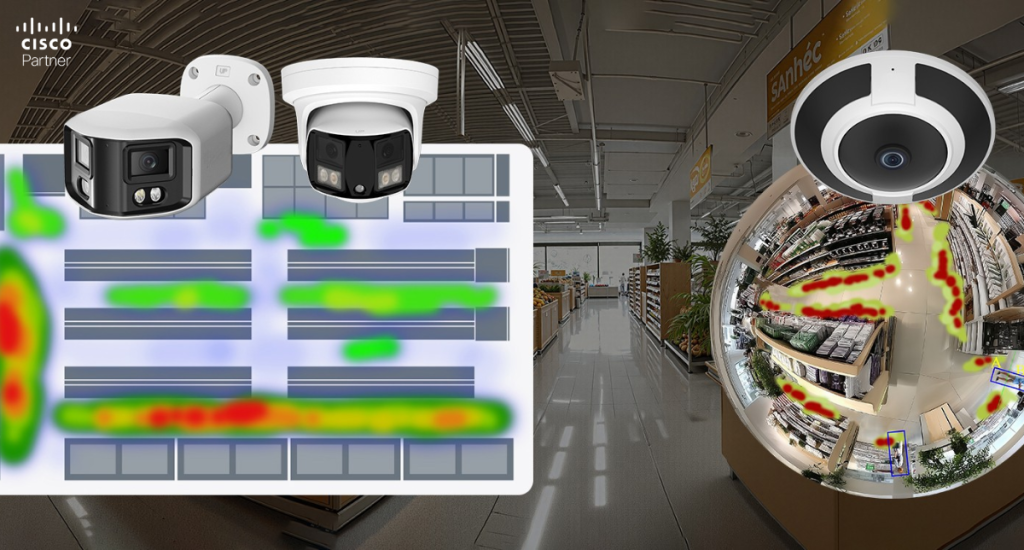
Businesses comparing Meraki camera models usually want more than clear video. They want cameras that help teams react faster, review footage with less effort, and spot patterns that matter to security and operations. Smart motion alerts can flag activity at doors, loading areas, stock rooms, and restricted spaces. That is an immediate benefit for security teams. For operations teams, heatmaps add another layer by showing where movement builds across the day. In retail, that can shape staffing and display placement. In offices, it can highlight lobby surges and hallway congestion. In warehouses, it can expose traffic bottlenecks near staging areas or dock lanes. Used correctly, these tools improve response speed and give teams a stronger grasp of how space is actually used.
That combination makes Cisco Meraki MV cameras useful far beyond incident playback. A well-tuned alert can bring attention to meaningful activity without flooding inboxes. A well-read heatmap can reveal congestion, dead zones, and traffic habits that affect staffing, layout, and site management. The value comes from careful camera placement, precise alert zones, and settings that match the real purpose of the space.
Smart alerts most often fail when the deployment starts from the dashboard rather than from the camera view. Before changing sensitivity or drawing motion zones, define the camera’s actual job.
A back entrance camera has a different role than a lobby camera. A stock room camera serves a different purpose than a warehouse aisle camera. One may need immediate after-hours alerts. Another may need a daily picture of movement density. A third may need both. Once the goal is clear, alert design becomes easier and far more accurate.
A clean view is just as important as the use case. A poorly aimed camera can produce noisy alerts and weak heatmap data. Reflections, vehicle lights, waving trees, direct sun, distant traffic, and large empty areas all reduce signal quality. Better placement creates better analytics. A camera aimed tightly at a doorway or corridor usually produces stronger motion events than a wide shot full of irrelevant movement.
The best motion alerts answer a direct question. Who entered the rear service door after hours? Who moved through the cage area? When did the activity begin at the loading dock? If the alert cannot answer a clear operational question, it usually becomes one more email that no one wants to read.
Meraki MV cameras support motion alerts with email delivery and mobile notifications. Alert emails can include motion recap imagery, which gives staff a visual summary of the event without forcing them into full video review right away. That saves time, especially for facilities teams and managers who need quick context before deciding if an alert deserves follow-up.
A useful alert usually has three parts:
Those three settings work together. A loose zone and a high sensitivity setting can create an alert storm. A narrow zone with a realistic duration threshold often produces a cleaner result.
The single most effective way to improve motion alerts is to avoid monitoring the whole frame. Meraki MV cameras allow administrators to define areas of interest, which focus analytics and alerts on the parts of the image that matter most.
That feature is especially useful in mixed scenes. A receiving door may share a view with a parking area. A hallway camera may also catch an elevator bank or glass wall reflections. A warehouse camera may see both a secure cage and a busy forklift path. When the alert area stays tight around the true point of concern, the notification becomes much more valuable.
Examples:
Good alert design usually begins with smaller zones, then expands only if events are being missed.
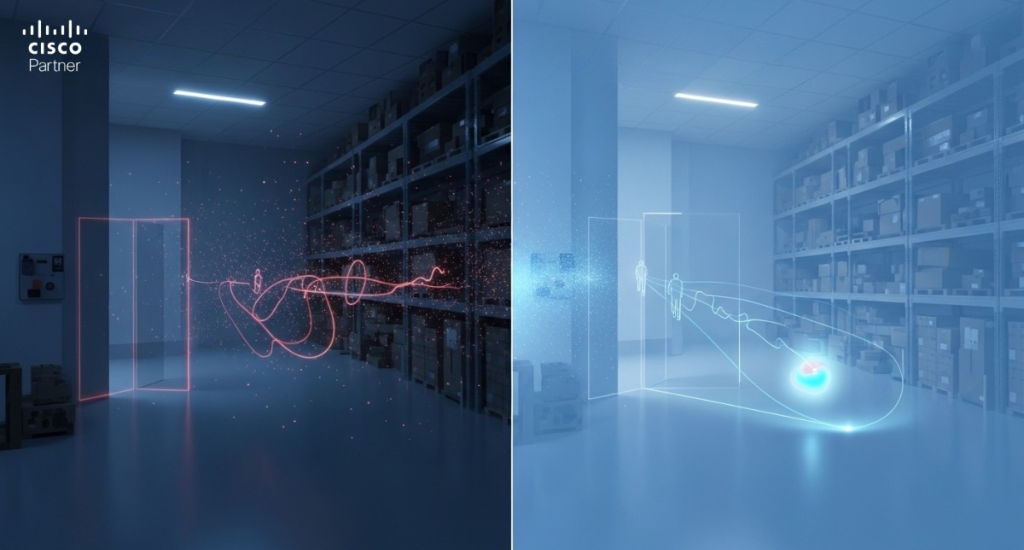
Motion sensitivity is often treated like a volume knob. Higher looks better at first. In reality, higher sensitivity usually means more waste. The right level depends on the scene.
A calm office corridor after business hours may need a higher setting because any motion deserves attention. A loading dock with changing light, moving shadows, and frequent background activity usually needs a lower setting. The goal is not to catch every pixel shift. The goal is to capture meaningful movement.
Minimum event duration is just as important. Short-duration thresholds are useful at a narrow doorway where even a quick crossing matters. Larger open spaces benefit from longer thresholds so the system ignores brief, low-value motion. If the scene includes automatic doors, reflective glass, or environmental movement, longer duration settings often improve alert quality immediately.
Second-generation MV cameras and newer can also support person-based alert refinement in supported scenarios. In scenes where human movement matters more than general motion, that can reduce alert noise and keep the signal focused on real activity.
Raw video is valuable after an incident. Motion recap helps before a full review starts. Meraki MV cameras can generate recap imagery that summarizes movement inside an event window, which gives staff a fast visual snapshot of what changed in the scene. That reduces the need to scrub through footage just to decide if a clip deserves a closer look.
This is especially helpful in busy environments:
Motion recap is one of the clearest examples of why smart cameras outperform basic recording devices. It reduces review friction and helps teams spend time on the right events.
Alerts are event-driven. Heatmaps are pattern-driven. They do not interrupt the team in real time. They show where movement accumulates across time, using motion metadata already captured by the camera. On Meraki MV cameras, heatmaps can display movement concentration by hour or by day across the prior week.
That makes them useful in a different way. A retailer may assume customers cluster around one display wall, then find heavier traffic near a different aisle. An office may think the lobby peaks at a certain hour, then discover a stronger traffic build later in the morning. A warehouse may find that one picking lane consistently carries more movement than expected. These insights can influence staffing, signage, queuing, layout, and camera placement.
Heatmaps are strongest when used to answer operational questions:
They are not people counters. They are motion concentration tools. Used that way, they provide useful directional insight without forcing staff to pull footage for every trend question.
The strongest deployments use both tools together. Alerts handle immediate events. Heatmaps support longer-term tuning.
A business may begin with a motion alert around an after-hours entrance. After two weeks, the heatmap may show that the busiest movement sits just outside the alert zone. That can lead to a better shape for the monitored area. Another site may receive too many alerts around a dock. Heatmap data may reveal that the camera view is too broad and catches routine traffic far outside the real concern point.
This type of refinement improves both security and operations:
That is the difference between using analytics as a novelty and using analytics as part of site management.
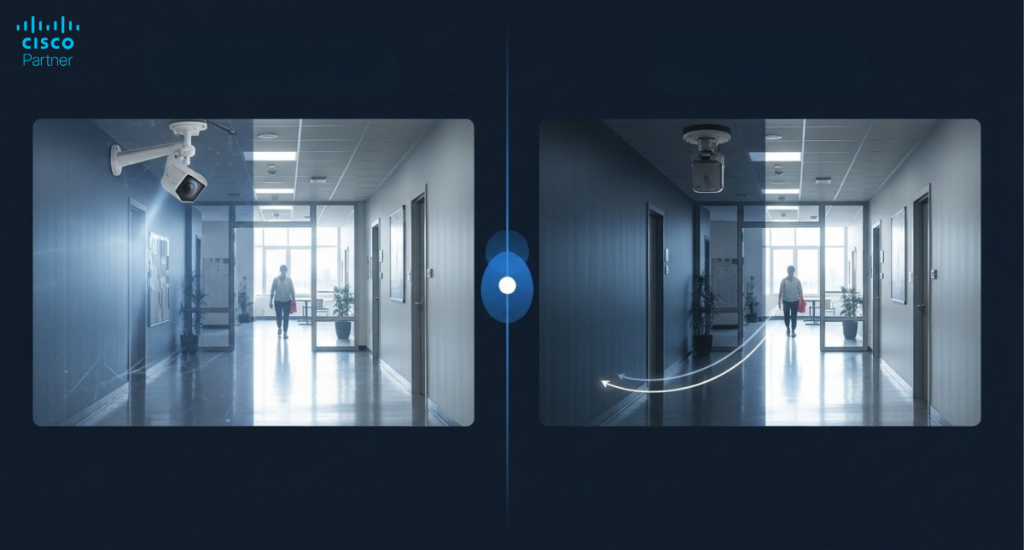
Not all scenes ask the same thing from a camera. A doorway, a corridor, a checkout zone, a parking edge, and a warehouse lane all create different analytics demands. Camera selection should match the field of view, mounting height, lighting conditions, and the kind of motion pattern the team wants to measure.
Therefore, when selecting Meraki camera models, it’s crucial to consider their analytical capabilities alongside their basic coverage features. A broad interior overview may support heatmap analysis well. A tightly focused entrance view may be better for precise alerts and a cleaner motion recap. A fisheye deployment can provide strong wide-area visibility, though the scene must still be shaped carefully so the resulting analytics remain useful.
For businesses evaluating Meraki camera models, the planning process should include three questions:
Those answers shape the rollout far more effectively than a simple model shortlist.
Smart features cannot rescue poor placement. If the frame includes too much empty space, unstable lighting, reflective glass, or motion that has nothing to do with the real concern, analytics quality drops. Heatmaps become less useful. Alerts become noisier. Motion recap becomes harder to read.
Strong placements usually share a few traits:
A camera that watches a clean corridor, a receiving threshold, a secure door, or a marked aisle usually produces stronger analytics than one that attempts to cover everything at once.
The best rollout is phased. Start with locations where alert quality can deliver immediate value. Rear entrances, restricted rooms, loading doors, cashier support spaces, and high-value storage zones are common first choices. Once the team is comfortable with motion tuning, expand into areas where heatmaps can improve staffing, layout, or traffic flow.
This phased approach keeps the project practical. It also helps teams compare Meraki camera models more effectively. Instead of trying to decide on every camera at once, they can learn from the first set of placements and use real outcomes to guide the next phase.
For organizations building a broader cloud-managed security stack, Meraki MV cameras also fit well alongside Cisco Meraki switching, wireless access points, and security appliances. That unified approach can make site visibility easier to manage across distributed locations.
Smart motion alerts and heatmaps on Meraki MV cameras give security and operations teams much more than recorded video. They highlight meaningful activity, shorten review time, and reveal movement patterns that can improve the way a space is managed.
The strongest results come from careful camera placement, well-defined alert zones, realistic sensitivity settings, and a rollout plan tied to real operational goals. Businesses reviewing Meraki camera models should look at analytics fit as closely as the field of view or mounting style.Stratus Information Systems helps organizations deploy Cisco Meraki solutions that deliver stronger visibility across security, networking, and site operations. For teams planning a new MV deployment or improving an existing one, the right camera design can produce better alerts, cleaner analytics, and far more value from every installed device.