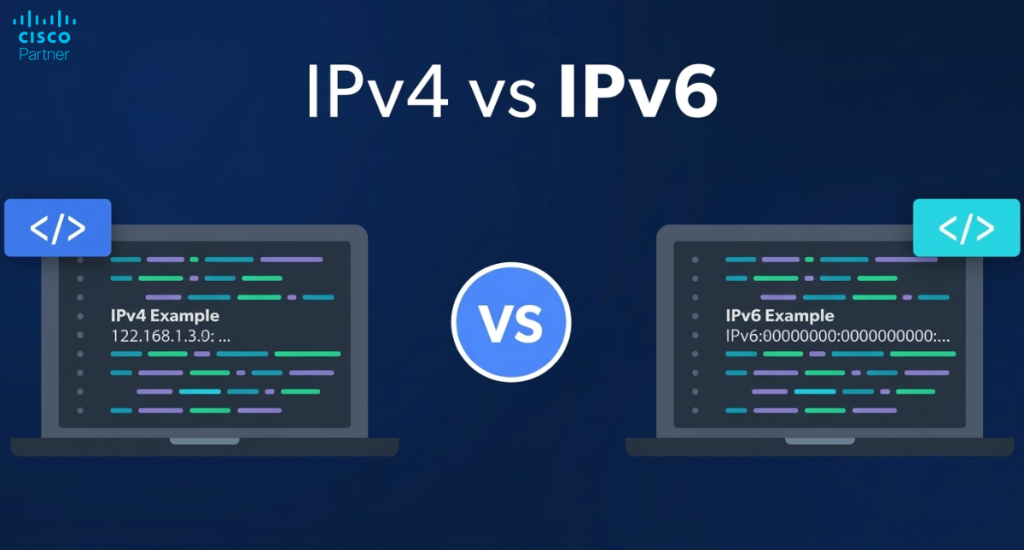
IPv4 scarcity shifted from a planning concern to an operational constraint. ISPs increasingly deploy carrier-grade NAT, reducing the available address space for growth. Cloud services and modern operating systems also make aggressive use of IPv6, often preferring it when available. That changes how networks behave under load, how troubleshooting starts, and how policy needs to be written. In many environments, the first sign is “odd” issues, such as inconsistent SaaS reachability, asymmetric paths, or DNS behavior that appears fine in IPv4 but fails for IPv6-capable clients. For teams responsible for IPv6 networking, the requirement is clear. Controls must be in place for both protocol families, and the design must ensure predictable outcomes across branches, campuses, and remote sites.
Cisco Meraki provides a practical way to introduce IPv6 support without rebuilding the network from scratch. Meraki IPv6 features span MX security and SD-WAN, MR wireless, and MG cellular gateways, with centralized configuration in Dashboard. That centralized control helps keep policy consistent while enforcement remains local at each site.
Stratus Information Systems can help you plan and deploy IPv6 in Meraki with a rollout model that fits your risk profile and operational workflow.
A clean IPv6 rollout starts by aligning platform capability with your site design. Meraki environments often combine Cisco Meraki MX firewalls for edge security, MR access points for Wi-Fi, Meraki MS switches for switching, and MG cellular gateways for cellular connectivity. Each layer can influence IPv6 behavior. The objective is consistent reachability with consistent enforcement, not a partial deployment that allows IPv6 to slip past policy.
On Meraki MX appliances, IPv6 support typically shows up in three places: WAN uplinks, LAN interfaces, and site connectivity. On the WAN side, your ISP may deliver IPv6 through static addressing, DHCPv6, or prefix delegation. On the LAN side, the MX becomes a key control point for routing and security. It can advertise prefixes into VLANs, participate in dual-stack design, and enforce firewall rules for IPv6 traffic. That matters because many organizations build strong IPv4 controls, then discover that IPv6 traffic can take a different path if it is left unmanaged.
For site connectivity, the design goal is simple: remote networks should behave the same way under IPv6 as they do under IPv4. That includes segmentation boundaries, security rules, and reachability of shared services. If your Meraki Auto VPN design is part of how branches reach applications, then IPv6 needs to be planned alongside it. Otherwise, you risk a split where IPv4 follows the intended path while IPv6 follows a different path, or fails entirely. A strong approach starts with dual-stack, proves policy parity, then expands scope.
Wireless is often where IPv6 becomes visible first because client devices aggressively use it. On Meraki MR access points, IPv6 support depends on firmware maturity and feature alignment with your SSID design. In practical terms, you want to confirm that your intended wireless mode supports IPv6, your SSID authentication aligns with IPv6 reachability, and your Layer 3 firewall rules account for both stacks. You also want protections against rogue Router Advertisements and other misbehavior that can impact client routing decisions.
A common operational pattern is dual-stack SSIDs, where clients receive both IPv4 and IPv6. That can work well, but it requires discipline. If you have multiple SSIDs, multiple VLANs, and inconsistent policy across sites, IPv6 will amplify that drift quickly. Standardization matters more here than at the edge because client behavior is less forgiving.
Cellular connectivity adds a separate variable: carrier delivery models. Some carriers provide native IPv6, some provide IPv4-only, and some provide translation-based services that behave differently under failover. For MG gateways, the practical question is not “does it support IPv6,” it is “what does my carrier deliver and how will that affect my failover behavior.” If you use cellular as backup connectivity, you want applications to remain reachable in both protocol families, or you want a defined failover posture that you can explain and test.
In many deployments, MG is used as a secondary path behind an MX. When you enable IPv6, test the backup path explicitly. Confirm that DNS, reachability, and security policy still behave the way you expect when the network shifts onto cellular. An IPv6 configuration that works perfectly on a wired WAN can behave differently during failover if the carrier environment changes path characteristics.

There is no single “best” IPv6 model. The right design depends on your ISP, your applications, and your operational maturity. Most Meraki environments do best with a phased design that reduces risk, keeps policy consistent, and avoids surprise routing changes.
Dual-stack means your clients and infrastructure run IPv4 and IPv6 in parallel. It is the safest path for most enterprises because it preserves existing IPv4 connectivity while you prove IPv6 behavior. When you enable IPv6 in a dual-stack model, you can validate each layer independently: WAN reachability, LAN prefix advertisement, DNS behavior, firewall rules, and monitoring. You can also roll back scope without cutting off business traffic because IPv4 remains available.
Dual-stack also makes it easier to compare. If a SaaS app works in IPv4 and fails in IPv6, the troubleshooting path is clearer. If performance differs, you can capture metrics and work with upstream providers. For many teams, the early win is stability and visibility, not full migration. Dual-stack delivers that, especially in multi-site deployments where you need repeatable outcomes across sites.
IPv6-only networks can be appropriate in focused areas like IoT segments, new sites, and tightly controlled production networks. The advantage is reduced complexity in address management and less reliance on NAT. The cost is that you must handle IPv4 reachability to legacy destinations through translation or proxy patterns. That decision belongs in architecture, not as an ad-hoc rollout.
If you deploy IPv6-only segments in Meraki, keep the boundaries explicit. Decide which VLANs are IPv6-only, define the DNS behavior, and define where translation happens. Avoid a mix where random subnets become IPv6-only because someone enabled a setting without a site plan. That creates fragile behavior that is hard to support across regions.
For hosts, SLAAC is common because it simplifies client assignment and reduces dependency on DHCP infrastructure. DHCPv6 becomes valuable when you need more control, consistent assignment, or options delivered through DHCP. Static configuration belongs in infrastructure components that need stable addressing, clear documentation, and deterministic behavior.
In Meraki deployments, address planning matters more than the exact mechanism. If your prefix plan is inconsistent, the operational cost will show up in routing, firewall rules, and troubleshooting. Build a prefix strategy that supports growth, aligns with site archetypes, and supports automation and templates where applicable.
The biggest IPv6 security failure is not a vulnerability in the protocol. It is operational parity gaps. Teams lock down IPv4 and forget to write equivalent IPv6 controls. When clients start using IPv6, the network becomes more permissive than intended.
When you enable IPv6, enforce the same posture you already use for IPv4. That includes default deny principles, explicit allow lists for required services, and segmentation boundaries that prevent lateral movement. If you apply security rules at the MX edge, confirm that the IPv6 rule set matches intent. If you apply rules at the MR layer for wireless client traffic, verify the IPv6 rule path there too.
A strong workflow is “policy mapping” rather than “rule copying.” Start with the business intent. Identify what must be reachable across trust zones. Then implement it in both stacks. This avoids the common trap where IPv4 rules evolve over time while IPv6 rules stay minimal and permissive.
IPv6 relies heavily on Router Advertisements. If a rogue device advertises itself as a router, clients can accept it and shift traffic unexpectedly. In dense networks, one bad RA can create a widespread incident. In wireless networks, the risk increases because any client device can become disruptive if it starts advertising.
Use RA protections and guard features appropriate to your environment. The goal is to ensure that only trusted network infrastructure influences client routing. This is not theoretical. It is an operational control that prevents outages that look like “random Wi-Fi issues” but are actually client routing changes.
A successful IPv6 rollout has built-in observability. You need to identify which clients use IPv6, which destinations they reach, and how policy affects those flows. If you export logs to a SIEM or retain syslog, confirm that IPv6 events are included. If you use SNMP or API-based monitoring, confirm that IPv6 interface states and health metrics are visible in the same dashboards you already use.
This is also where teams find hidden dependencies. DNS behavior, certificate validation, and external reachability often look fine in IPv4 and fail in IPv6 due to upstream filtering or provider behavior. Logging and event history shorten the path to root cause.

IPv6 support is a network-wide capability, but rollout should not be network-wide on day one. Treat it like any major change: pilot, validate, expand.
Start with a prefix plan that supports multi-site growth without renumbering. Allocate per site in a way that aligns with your network taxonomy. Branch sites should have predictable prefixes. Campuses should have predictable block assignments. Avoid random allocations that require a spreadsheet just to know what belongs to which site.
If you run templates and standardized patterns, the address plan should work with that model. Site uniqueness must exist where required, but structure should be consistent. This makes firewall policy easier to reason about and reduces errors during change windows.
Pick a pilot environment that represents real traffic and real user behavior. Avoid lab-only pilots that never see actual SaaS usage or roaming behavior. A good pilot includes a small number of VLANs, at least one SSID, and typical client device types. Include a representative WAN circuit type and, if you have it, test a backup uplink path.
During the pilot, validate reachability, DNS resolution, application access, and policy enforcement for both IPv4 and IPv6. Confirm that your monitoring tools reflect IPv6 flows. Confirm that incident response has enough data to troubleshoot IPv6 without guesswork.
Align firmware strategy before broad rollout. If parts of the environment run older firmware, you may see inconsistent feature behavior across sites. That can lead to “it works in one site but not in another,” which is expensive to debug. Treat firmware as part of the design.
Template-driven environments add a second factor: change blast radius. If templates carry IPv6 settings across many sites, stage changes carefully. Validate in a pilot group, then expand. Avoid introducing IPv6 and several unrelated changes in the same window. Keep the variable count low so troubleshooting stays clean.
Most IPv6 failures come from good intentions paired with partial execution. The fix is usually governance and verification, not a new tool.
The most common technical error is enabling IPv6 without building policy parity. That leaves IPv6 traffic less controlled than IPv4, which undermines segmentation. Another frequent issue is DNS inconsistency. Clients may receive IPv6 addresses and prefer IPv6 DNS paths, exposing DNS behaviors that were never tested. A third issue is missing protections against rogue advertisements, which can cause clients to select incorrect gateways and break connectivity in ways that look random.
Cellular failover can introduce its own surprises. If the backup path behaves differently under IPv6, application behavior during failover may degrade even if IPv4 remains stable. Test failover for both stacks and decide which traffic must remain reachable during a failover event.
A strategic failure pattern is rolling out IPv6 with no address governance. That leads to inconsistent prefixes and policy sprawl across sites. Another issue is treating IPv6 as a one-time task. It is an ongoing operational domain. As new sites, SSIDs, and VLANs appear, IPv6 must follow the same standards and review process as IPv4. If the organization does not assign ownership, drift will accumulate, and the network will behave unpredictably over time.
The most expensive mistake is implementing IPv6 in a way that cannot scale. A rollout must support multi-site growth without redesign. That means templates, standardized policies, consistent monitoring, and clear change control.
Once pilot validation is complete, the next step is consistent expansion. Scaling is where Meraki IPv6 can deliver real operational value, because centralized configuration and consistent enforcement reduce per-site overhead.
Multi-site operations benefit from standardized archetypes. Branch sites tend to share the same core VLANs, the same SSID structure, and similar WAN behavior. Campuses often have more segmentation and larger address blocks. Warehouses and manufacturing sites often carry IoT segments and operational technology constraints. Map IPv6 configuration to those archetypes. Keep the variation intentional.
Use templates where they support consistency. For sites that need flexibility, define a “standard baseline” and enforce it through review and validation. The key is that IPv6 should never be treated as a special case. It should be part of the baseline design, with the same operational rigor as IPv4.
As you expand IPv6 support, support teams must be able to diagnose issues quickly. That means dashboards, logs, and alerts must show IPv6 behavior clearly. It also means documentation must reflect IPv6 design decisions, especially around segmentation and allowed flows.
Make IPv6 part of routine operations. Include it in change reviews. Include it in incident runbooks. Include it in monitoring health checks. That is how IPv6 stays stable as the network evolves.
IPv6 networking succeeds when it is treated as a production design discipline. The technical work is straightforward: address planning, VLAN prefixing, client addressing, firewall parity, and observability. The operational work is what separates stable deployments from recurring incidents: templates or standard baselines, staged rollout, consistent monitoring, and clear ownership. Cisco Meraki makes it practical to enable IPv6 across distributed environments while keeping centralized configuration and local enforcement aligned. Meraki IPv6 can scale cleanly when rollout starts with a pilot, demonstrates policy parity, and expands through repeatable patterns rather than site-by-site improvisation.If you want a deployment that remains stable as your environment grows, Stratus Information Systems can help you design and implement IPv6 support across Meraki MX, MR, MS, and MG environments, with a rollout plan built for real-world operations, not lab assumptions.