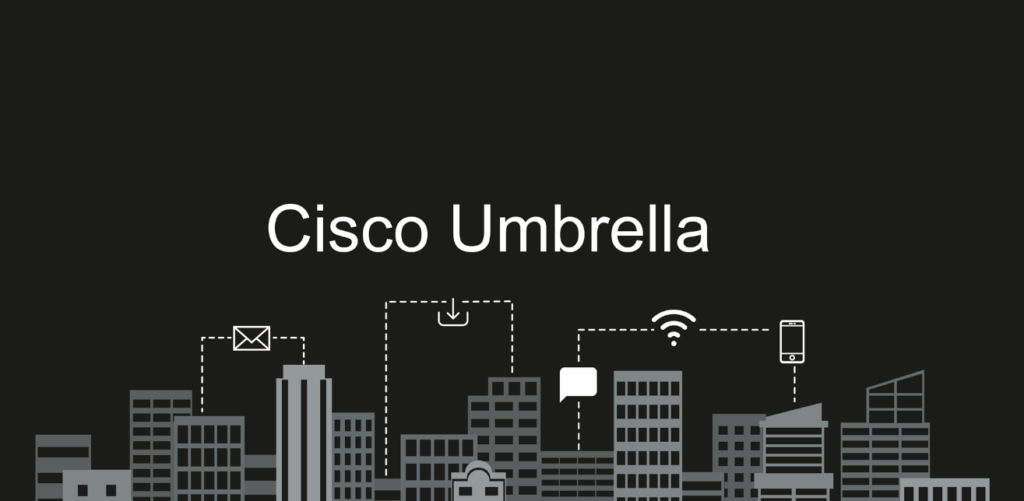
Cisco Umbrella is a leading DNS-layer security solution designed to protect businesses from cyber threats such as malware, phishing, and data exfiltration. By managing DNS traffic, Cisco Umbrella enforces security policies that ensure safe internet usage across networks. However, there are situations where it may become necessary to bypass Cisco Umbrella temporarily, such as during DNS troubleshooting or when addressing compatibility issues with certain applications.
This guide explains how to bypass Cisco Umbrella safely and highlights important considerations to minimize security risks. Whether you are managing a Microsoft DNS server or a BIND server, this article offers actionable steps for bypassing Cisco Umbrella in specific scenarios. For expert assistance with DNS configurations or Cisco products, contact Stratus Informational Systems today.
Cisco Umbrella is a cloud-based security platform that helps an organization protect its users and infrastructure from a wide range of cyber threats. By filtering DNS traffic at the organization’s network edge, Cisco Umbrella intercepts and analyzes DNS requests before users can access potentially harmful websites. This proactive approach blocks access to malicious domains, phishing sites, and ransomware, ensuring that internet browsing remains safe and secure for everyone on the network.
Implementing Cisco Umbrella is a key step in any organization’s security strategy. With its ability to monitor and control DNS traffic, administrators can configure policies that align with business requirements and compliance standards. Whether you’re looking to protect remote users, branch offices, or an entire enterprise, understanding how to configure and manage Cisco Umbrella is essential for effective security implementation and ongoing protection against evolving threats.
The following paragraphs provide technical details about how Umbrella DNS operates, including its handling of DNS and DNS over HTTPS (DoH) mechanisms.
Umbrella DNS is the core component of the Cisco Umbrella platform, designed to filter and block unwanted or malicious DNS traffic in real time. Leveraging advanced algorithms and machine learning, Umbrella DNS analyzes every DNS request to identify and block threats before they reach your network. This includes not only known malicious domains but also suspicious or newly registered websites that could pose a risk.
In addition to threat protection, Umbrella DNS offers robust content filtering capabilities. Organizations can block access to specific websites or entire categories, tailoring their security policies to meet unique business needs. By configuring Umbrella DNS settings, IT teams can ensure that only approved web traffic is allowed, reducing the risk of data breaches and compliance violations. However, it’s important to recognize that bypassing Umbrella DNS removes these protections, so any bypass option should be carefully considered and implemented with security in mind.
While Cisco Umbrella is a robust security solution, there are scenarios where bypassing it may be necessary. It is crucial to understand these situations and proceed with caution, as bypassing DWhile Cisco Umbrella is a robust security solution, there are scenarios where bypassing it may be necessary. It is crucial to understand these situations and proceed with caution, as bypassing DNS-layer protection can expose your network to risks. Bypassing Cisco Umbrella often requires administrative rights on the computer or device, as these permissions allow users to modify system settings or disable security features.
Schools implement security measures like Cisco Umbrella to protect students and their equipment from potential threats.
Bypassing Cisco Umbrella is done at your own risk and may result in disciplinary action from your school or employer.
When considering a Cisco Umbrella bypass, it is crucial to follow the correct order of steps to ensure the bypass is implemented effectively and securely.
Bypassing Cisco Umbrella disables a critical layer of security, increasing vulnerability to malicious sites, phishing attacks, and other cyber threats. It is important to implement bypasses only as a temporary measure and ensure log data is regularly reviewed to monitor potential bypass attempts and security events.
For organizations facing complex DNS issues, consulting dedicated professionals is essential. Stratus Informational Systems provides tailored DNS solutions and expert guidance to ensure security and functionality remain intact.
Conditional forwarding is a method used for Cisco Umbrella bypass for specific domains. This approach is particularly useful for businesses that need to route DNS queries for certain zones through alternative DNS servers.
For detailed configuration steps and troubleshooting, always refer to the official Cisco Umbrella documentation. This ensures correct firewall configurations, group policy settings, and helps address DNS or DoH bypass issues.
Conditional forwarders allow DNS servers to forward queries for specific domains to alternative DNS servers. This ensures only the necessary DNS traffic bypasses Cisco Umbrella while retaining security policies for the rest of the network.
For further assistance with DNS configurations, consult Stratus Informational Systems for professional support.
BIND is a widely used DNS server that supports conditional forwarding through its configuration file. By editing the named.conf file, administrators can define forwarders for specific domains.
type forward;
forwarders { 8.8.8.8; }; // Example alternative DNS server };
A business application hosted on a specific domain may require direct access to an external DNS server. Using conditional forwarding in BIND ensures the necessary bypass without affecting other DNS traffic.
Setting up a firewall rule is a fundamental part of deploying Cisco Umbrella and securing your network. A firewall rule allows you to control which types of DNS traffic are permitted or blocked, ensuring that only authorized DNS requests reach your network resources. DNS traffic typically uses the UDP protocol on port 53, so firewall rules should be configured to allow only UDP traffic on port 53 to Cisco Umbrella DNS servers, while blocking all other DNS traffic on different ports or protocols. By carefully configuring these rules, organizations can prevent unauthorized access and reduce the risk of cyber threats slipping through the cracks.
When implementing firewall rules, it’s important to test and validate each rule to confirm that legitimate traffic is not inadvertently blocked and that malicious traffic is effectively stopped. For added security, organizations may also deploy a VPN server to encrypt internet traffic, protecting user data as it travels across public and private networks. Combining Cisco Umbrella with well-defined firewall rules and VPN solutions creates a multi-layered defense that helps safeguard your network, users, and sensitive information.
Firewall rules are a cornerstone of network security, especially when it comes to managing DNS traffic and protecting against advanced threats. By blocking unauthorized DNS requests, firewall rules help prevent attacks such as DNS tunneling and amplification, which can be used to exfiltrate data or disrupt network operations. Regularly performing updates to firewall rules and DNS/DoH blocklists ensures they remain aligned with your organization’s evolving security policies and threat landscape, and helps maintain effective control over DNS resolution and privacy protocols as new DoH providers and endpoints emerge.
Monitoring firewall logs is equally important, as it allows IT teams to quickly detect and respond to suspicious activity. To further enhance security, organizations should configure DNS settings to only allow traffic from trusted public IP addresses and use VPN software to encrypt all internet communications. Establishing a secure VPN tunnel adds another layer of protection, ensuring that sensitive data remains private even when accessed remotely. By combining robust firewall rules, proper DNS configuration, and VPN solutions, organizations can create a resilient network environment that effectively protects against both known and emerging threats.
After considering Umbrella-specific configurations, it’s important to note that using a local proxy or setting up a proxy server on your device or home network can manage all the traffic and bypass Umbrella restrictions by resolving DNS and handling traffic locally. For example, configuring a proxy server on an OpenWrt router or directly on your device allows you to redirect or filter traffic as needed. Similarly, running a virtual machine in bridged mode allows it to bypass Cisco Umbrella, as it does not use the host’s TCP/IP stack and can access sites and URLs that would otherwise be blocked. Using a mobile hotspot is another effective method, as it provides internet access outside the scope of Cisco Umbrella’s filtering, enabling access to restricted sites. Direct IP connections can also bypass Cisco Umbrella’s DNS-layer enforcement if a web request uses a hardcoded IP address instead of a domain name.
An android device or android phone can also be used to bypass Cisco Umbrella by running a local proxy app or enabling USB tethering. By configuring your phone as a tethering interface or proxy device, you can redirect traffic from your computer through the phone, avoiding inspection and filtering by Umbrella.
Firefox offers a DNS over HTTPS (DoH) feature, which can be configured to either bypass or enforce Cisco Umbrella filtering. By adjusting Firefox’s DoH settings or using the use-application-dns.net domain, users can control how DNS requests are handled and potentially bypass network restrictions. Additionally, configuring a proxy in Firefox can help redirect traffic away from Cisco Umbrella. Configuring the browser’s proxy settings can influence whether traffic is inspected by Cisco Umbrella’s Secure Web Gateway (SWG) module. The way a browser is set up, including proxy and DNS settings, directly impacts whether its traffic is filtered or can bypass Cisco Umbrella protections.
Cisco Umbrella’s intelligent proxy selectively proxies and inspects web traffic, especially HTTPS, without proxying all the traffic by default. Administrators can configure the intelligent proxy to bypass inspection for specific sites or URLs, allowing access to certain web resources while maintaining security for others. Bypass Users can also be designated by administrators, allowing specific users to bypass web filtering categories.
Discovering permitted routes or allowed IP ranges on the network can reveal ways to bypass umbrella restrictions, such as accessing a site outside a VPN tunnel or identifying unfiltered traffic paths. Additionally, configuring a router—such as OpenWrt devices—to enforce or bypass Cisco Umbrella policies can play a crucial role in managing how DNS and proxy settings affect network traffic and access to filtered sites. Cisco AnyConnect may force all traffic through a VPN tunnel, preventing local traffic from reaching the Cisco Umbrella proxy.
When considering user activity and privacy, browsing history and the use of incognito or guest modes can be used to avoid detection of policy violations or browsing behavior on the network.
Cisco Umbrella allows administrators to configure bypasses directly through its dashboard using the “Internal Domains” feature. This ensures that certain domains bypass Umbrella’s policies while maintaining centralized control.
For organizations using Cisco network devices, such as ASA firewalls or ISR routers, Umbrella policies can be customized to enable domain-specific bypasses. This provides flexibility for handling complex DNS requirements without compromising overall security.
Roaming clients can also be configured to bypass specific domains by modifying their local DNS settings or through Umbrella’s policy configurations. This is particularly useful for remote workers accessing corporate applications.
Bypassing Cisco Umbrella exposes networks to increased risks, including:
Instead of bypassing Cisco Umbrella entirely, consider adjusting policies or using split tunneling to balance security and functionality. Stratus Informational Systems offers customized solutions to address these challenges effectively.
Cisco Umbrella provides essential DNS-layer protection for businesses, but certain scenarios may require temporary bypasses. By using methods like conditional forwarding and leveraging Umbrella’s flexible features, administrators can address specific requirements without compromising security.
For tailored guidance and professional DNS configuration support, contact Stratus Informational Systems today. Our team specializes in Cisco Umbrella and other DNS solutions to keep your business secure and efficient.