Once a Cisco platform hits its end-of-support milestones, the hard question stops being “when” and becomes “what do I replace it with.” Cisco end-of-life bulletins may include Product Migration Options, but a migration product is a product mapping, not a design decision. Teams that buy the migration product one-for-one routinely end up with the wrong port density, a PoE budget that will not power the new fleet, or a licensing subscription that expires out of step with everything else they own. This guide is the decision framework: how to move from an end-of-support platform to a Catalyst successor without inheriting a new set of problems.
If you are still mapping what is reaching its date across your network, start with the Cisco End-of-Support 2026 hub, and for the milestone definitions see End of Sale vs End of Support. This page is where you go once you have decided to act.
Not automatically. A Cisco end-of-life bulletin may include Product Migration Options, and where it does, that Migration Product or Replacement Product is a commercial mapping to the nearest current-generation platform. It does not account for your deployment: how much PoE your endpoints actually draw, what uplink speed your access layer needs, how your switches stack today, which license tier gives you feature parity, or how you operate the network. Those are engineering questions, and the mapped product answers none of them. The rest of this page is the set of checks that turn a product mapping into a design that fits.
Cisco’s current campus switching lineup is the Catalyst 9000 family, all running a common Cisco IOS XE operating system, and now the newer C9000 Smart Switch portfolio alongside it. Choose by network role first, then by PoE, uplink speed, redundancy, and management model.
| Family | Where it fits |
| Catalyst 9200 / 9200L / 9200CX | Cost-sensitive branch and campus access |
| Catalyst 9300 / 9300L / 9300LM / 9300X | Premium access that must last and host advanced services; higher stack and uplink bandwidth |
| Catalyst 9400 | Chassis access and distribution needing supervisor and power redundancy |
| Catalyst 9500 / 9500X | Aggregation and collapsed core |
| Catalyst 9600 / 9600X | Large campus core, modular, maximum scale |
| C9000 Smart Switches (C9350, C9550, C9610) | Cisco’s newer smart-switch portfolio; current migration destinations to evaluate alongside the Catalyst 9000 families |
Two adjacent families complete the picture when a refresh touches more than switching: for campus wireless, the Cisco 9100 Family, including the newer Wi-Fi 7 Cisco Wireless 917x models; and for branch and edge routing, the Cisco 8000 Series Secure Routers.
Keep this at family level. The point of the page is the decision, not the SKU, and family-level guidance does not go stale on a mid-cycle part refresh.
This is the part a vendor datasheet will not tell you.
1. PoE budget. Newer access points and endpoints draw more power than the fleet they replace, and modern APs, cameras, and lighting can pull UPOE or UPOE+ class power. The switch that comfortably powered your old gear may not power the new fleet at full load. Two traps: reading per-port PoE class and assuming you are fine, when the real constraint is the switch’s total system power budget across all ports at once; and assuming PoE capability is uniform, when PoE+, UPOE, and UPOE+ availability varies by model and line card. Confirm both the total budget and the per-model capability. [Arif: platform-specific PoE noted per your correction.]
2. Uplink capacity. Refreshing the access layer without matching the uplink and aggregation capacity just moves the bottleneck, it does not remove it. If the new access switches can push far more traffic but the uplinks and the distribution tier stayed the same, you have spent budget without fixing the constraint.
3. Port density and stacking. Stacking architecture differs by platform, so a like-count swap can quietly change your stacking topology and, with it, your redundancy and cabling. The access families (Catalyst 9200 and 9300) use physical StackWise stacking; the modular and core platforms use StackWise Virtual; and the newer C9350 uses StackWise-1.6T, supporting up to eight members. Confirm the successor’s stacking model against how you actually stack today. See the current Catalyst 9300 data sheet for the access-family details.
4. Licensing tier. This is where refreshes get expensive in ways buyers do not expect, and where Cisco’s model has moved in 2026. A modern Catalyst switch carries a perpetual Network license that sets the on-box feature level, Network Essentials for Layer 2 and basic Layer 3 at the access layer, or Network Advantage for full Layer 3, VRF, VXLAN, and SD-Access at the core or edge. On top of that sits a term subscription, and there are now two documented paths: the newer Cisco Networking Subscription with Cisco Switching Essentials or Advantage tiers, and the traditional Cisco DNA subscription with Essentials or Advantage, both of which run through Cisco Catalyst Center. Feature parity with your old platform may quietly require Network Advantage plus a higher subscription tier than you assumed, so map features to tiers before you price the refresh, and confirm which subscription path applies to the platform you are buying. One more distinction: the newer C9000 Smart Switch portfolio uses a separate licensing model from the traditional Catalyst 9000 families, so if a Smart Switch is your destination, scope its licensing on its own rather than assuming the Catalyst 9000 model carries over.
5. Management model. The successor may assume a different management plane than the one you run today, which is a decision in its own right. That gets its own section below.
Moving to Catalyst is not only a hardware choice, it is a choice about how the network is operated day to day. Three honest options, and the right one depends on your team size, number of sites, how often you change the network, and whether you already have controller infrastructure and staff who know it.
The mistake is inheriting a management model by accident because it came bundled with the successor. Decide it deliberately.
Hardware refreshes happen on an equipment clock. Subscriptions renew on a contract clock. Refresh your network in pieces over two or three budget cycles, which almost everyone does, and you end up with a portfolio of subscription terms that never line up again, so you are managing renewals every few months forever. The fix is renewal-date alignment, or co-termination: aligning the subscription end dates so they renew together, which turns a rolling series of renewal events into one. Plan the alignment as part of the refresh, not after it, and scope the specific mechanics with your Cisco buying program at purchase time.
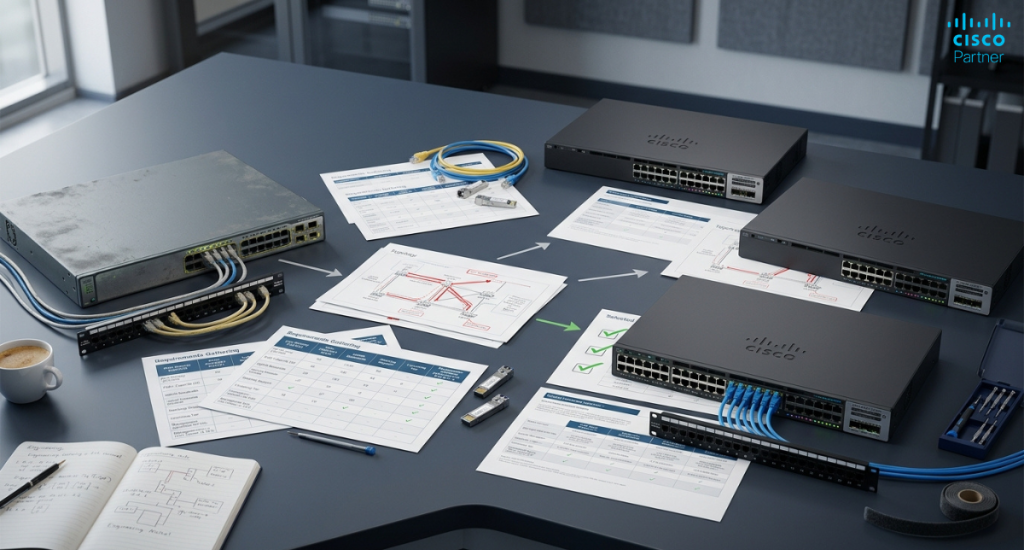
Once the design is clear, each platform still gets one of three responses, and the honest way to weigh them is in risk, not just dollars.
| Response | What it buys | What it costs | When it is right |
| Replace now | A clean, supported platform sized to the real design | Budget this cycle; procurement and cutover effort | Core, security-exposed, or support has already stepped down |
| Extend the runway | Time, on a hard expiry | Rising exposure; the option closes at the support cutoff | A successor is planned but not yet due, and coverage is still attachable |
| Accept the risk | Budget freed for higher priorities | Unpatched exposure if the isolation assumption is wrong | Isolated, non-critical, or scheduled for decommission |
On extend specifically, be honest about its limits. Third-party support and a spares strategy can cover hardware failure, but they do not cover software vulnerabilities, so extension protects uptime, not security. That distinction decides whether extend is a real option for a given platform or a false comfort.
Not sure which successor and which tier your estate actually needs? Send us your Bill of Materials and request a free quote. Our team maps each platform to the right successor, PoE and uplink sizing, and license tier, so the design is right before the purchase order.
Sometimes the mapped migration product is simply not what you should buy, and saying so is the honest part of this guide.
Vendors will not publish this section, which is exactly why it is worth publishing.
A mid-market company with roughly a dozen branches has an aging access layer and refreshes over two budget cycles rather than all at once. The sequence that keeps it sane: inventory and exposure scoring first, so the highest-risk sites go first, not the loudest ones. Then a pilot site to validate the successor, the PoE and uplink sizing, and the management model before committing the fleet. Then the renewal-date alignment on the subscriptions, so the whole refresh lands on one renewal date. Then the phased rollout across the remaining branches.
And here is the place the mapped migration product is not what they buy: two branches have shrunk to a fraction of their original size since the old switches were specified, so instead of the like-for-like mapping the plan drops those sites to a smaller family and redirects the saved budget to the security-exposed core. Same bulletin, different buy, because the design drove it and not the SKU mapping.
What should I replace my end-of-support Cisco switches with? The current campus successors are the Catalyst 9000 family (9200 or 9300 for access, 9400 for chassis access and distribution, 9500 or 9600 for aggregation and core) and Cisco’s newer C9000 Smart Switch portfolio (C9350, C9550, C9610). The right one for you depends on PoE draw, uplink speed, stacking, and license tier, not just the migration product named on the bulletin, so size those before you order.
How do I choose the right Catalyst switch for a refresh? Choose by role first (access, distribution, or core), then check the five things a one-for-one swap gets wrong: total PoE budget and per-model PoE capability, uplink and aggregation capacity, stacking topology (physical StackWise on access versus StackWise Virtual on core), the license tier and subscription path needed for feature parity, and the management model you want to operate.
Is Cisco’s recommended replacement always the right one? No. The Product Migration Option on a bulletin is a commercial mapping to the nearest current platform, not an engineering assessment of your deployment. It is a good starting point, but where your site has shrunk, is consolidating, or is due for a bigger architectural change, the mapped product can be the wrong buy.