GDPR work rarely stays inside a legal folder. It shows up in day-to-day network operations, especially in environments that track users, devices, locations, and access events. Wi-Fi sign-ins, directory authentication, client analytics, camera footage workflows, and security logs can all touch personal data. That is why GDPR in cyber security is not an abstract topic for IT teams. It shapes how networks collect data, how long they keep it, who can see it, and how fast teams can respond when a request or incident lands.
Cisco Meraki can support a practical compliance posture because it centralizes configuration and visibility across networks. You can standardize controls, reduce data exposure, and build repeatable workflows for requests and auditing. Still, Meraki does not “make an organization GDPR compliant” on its own. Real compliance needs governance, documented processes, and oversight. The most effective approach pairs Meraki capabilities with a clear GDPR controls framework that connects legal obligations to technical controls you can implement, verify, and maintain over time.
Before any control discussion, define what personal data exists in your Meraki environment. For many teams, the first surprise is how quickly identifiers spread across tools. A single user connecting to Wi-Fi can generate association events, authentication attempts, device fingerprints, location-related analytics, and log entries that later get forwarded to a SIEM. The goal is not to eliminate telemetry. The goal is to keep only what supports operations and security.
In Meraki, personal data often appears as device identifiers, usernames, client IP addresses, and event details tied to specific clients. Guest Wi-Fi workflows can add names, email addresses, or consent records depending on how the splash page is configured. Systems Manager can add device inventory details that include user assignment. Cameras can introduce a different class of privacy concerns because video data is inherently sensitive, even when it is stored locally. Treat scope as a living map, not a one-time diagram.
Once you identify these data flows, document where the data lands. The Meraki dashboard is one destination, but exports matter just as much. Syslog streams, API-driven reporting, ticket attachments, and spreadsheets created during troubleshooting can quietly become the largest privacy risk. This is where GDPR in cyber security becomes very concrete. The highest-risk data is usually the data that moved outside standard controls.
A GDPR controls framework is the bridge between compliance language and implementation reality. It gives security architects and network engineers a shared checklist of controls that can be tested and maintained. You can structure it around a few practical pillars: minimization, access control, retention, lawful processing support, and auditability. Meraki can help in each area when it is configured with intent.
Minimization starts with feature discipline. If a feature does not support a defined operational purpose, leave it off. This matters for location analytics and tracking-style capabilities in particular. Even when data collection is permissible, collecting more than you need creates risk without improving service quality. Align each analytics capability with a purpose statement such as security investigations, capacity planning, or guest access troubleshooting. Then limit access to the smallest group that needs it.
Purpose limitation carries into exports. If you only need aggregated network health data, avoid exporting per-client identifiers into third-party systems. If your Security Information and Event Management (SIEM) needs security events for correlation, keep that pipeline focused and documented. A GDPR controls framework works best when it includes “approved exports” as a control, not as an afterthought.
Access control is where Meraki can deliver a strong operational advantage. The dashboard supports role-based access, so admins do not all share the same permissions. In a regulated environment, that separation matters as much as firewall rules. Tie dashboard access to named accounts, require strong authentication, and review admin privileges on a defined schedule. Use change logs as part of normal operations, not only during audits.
A practical GDPR controls framework treats admin accountability as a recurring control. That means onboarding, offboarding, and role updates must be routine. It also means “shared admin” accounts should not exist. They defeat traceability, and they create incident response problems when you need to prove who changed what.
Retention is where many teams get stuck, because Meraki is only one part of the data lifecycle. Your policy must cover the dashboard, exports, and any systems that store copies. If you export logs to a SIEM, the SIEM retention policy becomes a privacy control. If you export reports during an incident, that file retention becomes a privacy control. Define retention targets based on business need, then enforce them with process and tooling.
Deletion should be equally structured. Plan for deletion requests and for security-driven deletion when data is no longer needed. Make the workflow auditable. In practice, this means tickets, approvals, and a way to confirm that deletion happened in the systems where data existed.
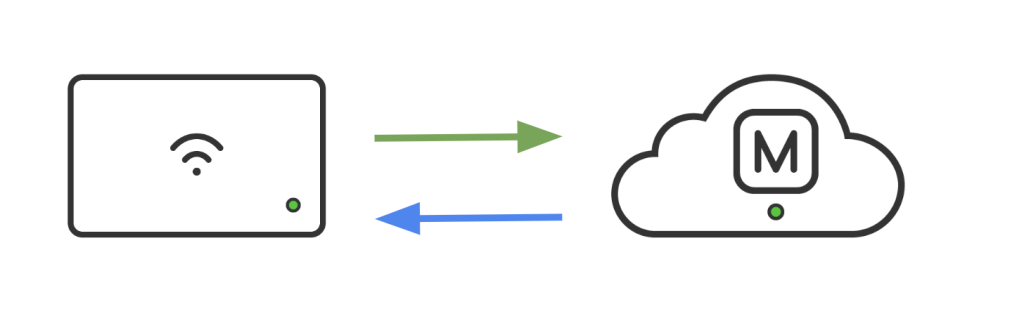
GDPR conversations often include a hosting question early: where is management data stored, and how does the team verify it? For Meraki, the key point is that organizations operate within defined cloud regions, and teams should be able to confirm the hosting region used by their dashboard organization. Treat this as a documentation requirement. Capture it in your compliance evidence pack so you can answer the same question consistently every time an auditor asks.
Regional posture is not only a privacy topic. It affects operations. Global teams need predictable access to management tools, clear change control, and consistent incident response. If you operate in multiple regions, define a standard for where each environment should live, how you document that decision, and how you handle exceptions. This keeps teams from creating shadow organizations or spinning up “temporary” environments that later become permanent without proper review.
If your organization supports EU users or EU locations, incorporate privacy defaults into your baseline configuration. In some Meraki deployments, certain tracking-oriented features may be disabled by default in EU-hosted organizations and can be enabled intentionally when you have a clear purpose and appropriate notice. Your job is to remove ambiguity. Decide what is enabled, why it is enabled, and who approved it.
This is where policy turns into settings. The goal is to reduce exposure while still delivering operational value.
Guest Wi-Fi is a common GDPR pressure point because it can collect personal data at the exact moment a user expects connectivity, not data processing. Use splash page workflows that provide clear notice and obtain consent when consent is your chosen lawful basis. Keep the message consistent across locations. Avoid “legal wall” language that users skip. Write a short notice that explains what is collected and why, then provide a path to a privacy statement maintained by your organization.
For staff Wi-Fi, consent is rarely the best approach. Staff access should normally be governed through employment policies and access control, not a splash prompt. Focus staff networks on strong authentication, role-based access, and restricted telemetry access.
High-value analytics can become high-risk analytics if they are open by default. Treat location analytics and client tracking features as opt-in capabilities that require purpose, access limitations, and retention guardrails. If the only reason a feature is enabled is “it might be useful,” that is a signal to disable it. If it is needed, restrict dashboard access so only the teams working on capacity planning or investigations can view it.
Minimization also means avoiding unnecessary identifier exposure in routine workflows. A help desk can often troubleshoot without seeing user identities. In those cases, design a process where tier-one support uses aggregated health views, while identity-level details are restricted to escalation paths.
Admin hygiene is one of the easiest wins in GDPR in cyber security. Require strong authentication for dashboard access. Use single sign-on where it fits your identity architecture. Set expectations around personal accounts, MFA usage, and privileged admin roles. Then enforce the standard through periodic reviews.
A GDPR controls framework should define what “good admin hygiene” means in measurable terms. Example measures include MFA coverage for admins, the number of privileged accounts, and the time to remove access after role changes. Meraki supports central visibility, but the discipline has to come from your operating model.
Data subject requests can overwhelm teams when there is no playbook. A good workflow turns a stressful request into a repeatable process. Meraki can support this because it offers ways to find and act on certain data types in a structured manner.
An access request should start with identity verification, then move into scoped collection. The biggest mistake is pulling “everything you can find” because it feels safer. It is not safer. It increases the chance of disclosing data that belongs to someone else, especially in shared device or shared IP scenarios. Use a scoped approach that focuses on identifiers you can reliably map to a person, then confirm the timeframe.
If your team uses exports or API-driven reports, include those systems in the scope. In many environments, the dashboard is only one source. The request response should describe what was provided and what was excluded, with clear reasoning aligned to your internal policies.
Deletion is more complex than “remove the record,” because multiple systems may store copies. Build a deletion workflow with approvals and a way to confirm completion. Meraki environments can support deletion-related actions for certain datasets through structured processes. The key is to keep the workflow consistent and auditable. Treat it as a security change, not as an informal task.
Restriction requests are equally important. Restriction can mean hiding or limiting processing while retaining enough data to support legal obligations. In network operations, restriction often looks like reducing visibility, disabling certain analytics for a specific identifier, or limiting how identity data is used in reporting pipelines. A mature GDPR controls framework describes what restriction means in your environment and who authorizes it.
Portability requests often translate into exports. That is where privacy risk increases, because exported files can live outside standard controls. Use a dedicated storage location with access control. Track who generated the export, who received it, and when it expires. Add a retention limit for exported request data that matches your policy.
If your team already uses the Meraki dashboard API for operational reporting, you can reuse the same discipline for privacy workflows. The API is powerful, but the compliance value comes from process, not from the endpoint.

Logs can defend your organization during an incident. Logs can also create privacy risk if they are indiscriminate. The goal is targeted visibility with controlled retention and access.
Start by defining which logs are required for security operations, which are required for network operations, and which are optional. Then ensure each category has an owner. If you forward logs to a SIEM, document what is forwarded, why, and how long it is retained. If you store ticket attachments with user identifiers, define retention and deletion rules for those attachments as well.
From an audit standpoint, the strongest posture comes from repeatability. Run quarterly reviews that cover admin roles, strong authentication coverage, privacy-sensitive features, and export pipelines. Track outcomes and changes. This keeps GDPR in cyber security aligned to daily operations instead of a once-a-year scramble.
Stratus Information Systems can help you create an operational checklist for Meraki environments that supports a GDPR controls framework and reduces audit friction across teams.
Many GDPR programs focus on network telemetry and forget cameras. That gap is risky. Video data can be personal data even when it is stored locally, because it can identify individuals. If you use Meraki cameras, treat video workflows as part of your GDPR controls framework.
Start by defining retention targets based on security needs and local requirements. Then build an access model that limits who can view footage, who can export it, and how exports are stored. Exports are a common weak point because they become files that can be copied. Set clear rules for where exports are stored, how long they are retained, and how access is logged.
Some environments will also need workflows for marking footage for review, restricting processing, or handling deletion requests within permitted operational constraints. Keep these workflows documented and controlled. Do not rely on informal knowledge or one administrator who “knows how it works.” In GDPR in cyber security, repeatability is part of resilience.
A good runbook is short enough to use, but detailed enough to prevent missteps. Here is a practical sequencing model you can adapt.
First, complete a scope and feature inventory. Identify where personal data exists, where it is exported, who can access it, and what retention rules apply today. Capture dashboard admin roles and confirm strong authentication requirements. This step creates your baseline.
Next, apply minimization controls. Disable unused analytics, restrict access to identity-level data, and standardize guest notice and consent patterns where appropriate. Document the purpose for each privacy-sensitive capability that remains enabled. Align these decisions to your GDPR controls framework so the “why” is as clear as the “what.”
Then build DSAR workflows. Define request intake, identity verification, internal approvals, and execution steps. Include your evidence steps, such as screenshots, exported reports stored in a controlled location, and a completion record. Finally, add a quarterly review rhythm that keeps controls healthy as networks change.
Most audit issues come from inconsistency. One location uses a different splash page. One admin has full access without a clear role justification. One team exports logs into a new tool without documenting retention. These small gaps become big questions during audits.
Another common trigger is over-collection. If client tracking and location analytics are enabled everywhere without a purpose statement, auditors and privacy teams will ask why. If you cannot answer clearly, the fix becomes urgent. A GDPR controls framework helps prevent this because it forces the purpose conversation before features spread.
Finally, watch for ungoverned exports. SIEM forwarding, API scripts, and ad-hoc troubleshooting files can turn into the largest privacy footprint in the environment. Treat exports as a controlled pipeline with access limits and retention rules. That single discipline reduces privacy risk without reducing security visibility.

Cisco Meraki gives teams practical levers for privacy-aware operations: centralized admin control, consistent configuration standards, regional hosting visibility, and workflows that support requests and auditing. When those capabilities align with a GDPR controls framework, teams can reduce data exposure while keeping the network observable and secure.
If your organization is tightening GDPR in cyber security practices, Stratus Information Systems can help you turn policy goals into repeatable Meraki standards. That includes feature scoping, dashboard role design, guest access patterns, logging architecture, and DSAR-ready operational playbooks. The outcome is a cleaner audit story, fewer last-minute changes, and a Meraki environment that is easier to operate with confidence.