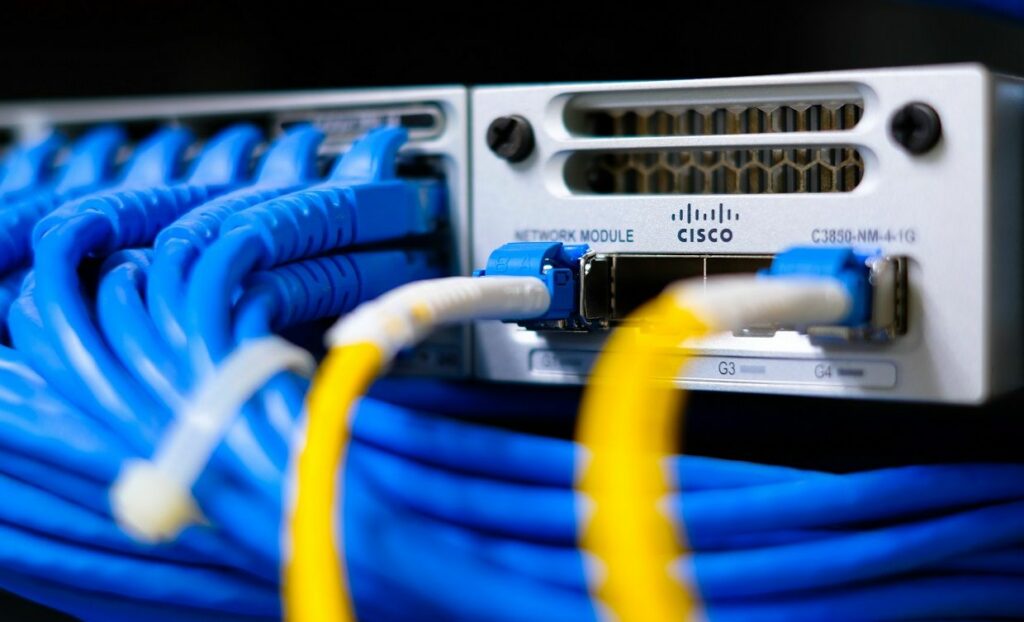
With the growing complexity of connected devices and evolving cybersecurity threats, network segmentation has become a fundamental part of a strong security posture. Cisco Meraki switches are the network switches that enable these advanced features, offering powerful tools for securing and organizing internal traffic, one of the most effective being Meraki port isolation.
By enabling port isolation in Meraki switches, IT administrators gain a simplified yet robust method for securing east-west traffic within VLANs. Unlike traditional VLAN setups that require complex routing rules, port isolation in Meraki switches prevents communication between selected devices on the same VLAN while still allowing necessary upstream access. Port isolation restricts communication between specific ports on the same switch, which is especially valuable in a multi tenant environment where blocking inter client communication is critical for security and privacy. This makes it a highly efficient tool for traffic control, especially in dynamic or multi-tenant environments.
Beyond the technical mechanics, isolating switch ports offers a host of real-world benefits. It reduces the attack surface by limiting lateral movement, supports strong network segmentation, and helps prevent unauthorized access between devices-especially in shared or untrusted zones like guest Wi-Fi or IoT subnets. Port isolation can enhance security by adding a layer that prevents direct communication between devices in shared spaces, effectively blocking inter client communication. Unlike traditional VLAN configurations, Meraki port isolation is simpler to implement and manage. With just a few clicks in the Meraki dashboard, admins can achieve enhanced control and security without introducing unnecessary complexity.
Meraki port isolation is a feature that allows switch ports to be logically separated, even if they belong to the same VLAN. When a port is set to “Isolated” on a Meraki switch, it can no longer communicate directly with other isolated ports on the same VLAN. However, all isolated ports can still communicate upstream with gateway devices, such as routers or firewalls. When port isolation is enabled, devices connected to isolated ports are unable to communicate with each other, but can still communicate with non-isolated or protected ports and the uplink port, allowing internet access while restricting direct communication between isolated devices.
This feature is fundamentally different from VLAN segmentation. VLANs break networks into separate broadcast domains, requiring routing between them. In contrast, port isolation in Meraki keeps devices within the same VLAN but blocks local communication between them. Port isolation works even when devices are on the same IP subnet, ensuring that direct communication between isolated ports is blocked at the data link layer, and any communication must be routed through a central uplink or non-isolated port.
A common use case for Meraki port isolation is in guest networks, where you want to prevent one guest device from seeing or communicating with another. For example, if two clients are each connected to one isolated port, they are unable to communicate with each other but are still allowing internet access via the uplink port. It’s also ideal for Internet of Things (IoT) deployments, where smart devices need internet access but not mutual connectivity. BYOD (Bring Your Own Device) scenarios are another area where Meraki port security paired with isolation helps limit exposure from potentially compromised endpoints.
Private VLANs (PVLANs) are an advanced network segmentation technology designed to enhance security by isolating devices within the same VLAN. Unlike traditional VLANs, which group devices into a single broadcast domain, PVLANs subdivide a VLAN into smaller, more controlled segments—often referred to as sub-VLANs. This allows network administrators to dictate exactly which devices connected to the same switch can communicate with each other, and which cannot.
A key feature of PVLANs is the use of isolated ports. When a port is configured as isolated on a managed switch, any devices connected to these ports are unable to communicate directly with other isolated ports—even if they share the same VLAN and IP subnet. This effectively blocks inter-client communication, making it ideal for environments where multiple clients connected to the same switch require internet access but should not interact with each other, such as in hotels, student housing, or co-working spaces.
Despite this isolation, devices on isolated ports can still reach upstream resources, such as the internet or shared servers, through uplink or non-isolated (community or promiscuous) ports. This ensures that essential connectivity is maintained without sacrificing security. Non-isolated ports, meanwhile, can be used for devices that need to communicate with multiple clients or provide shared services.
By implementing PVLANs and configuring isolated ports, organizations can significantly reduce their network’s attack surface. This approach limits the potential for lateral movement by malicious actors, supports compliance in multi-tenant environments, and provides granular control over how devices communicate within the same VLAN. For enterprises leveraging managed switches, PVLANs offer a powerful tool for balancing security, connectivity, and operational flexibility—especially when combined with other segmentation strategies like VLANs and port isolation.
To enable port isolation in Meraki, start by logging into your Meraki dashboard:
This change takes effect immediately, and isolated ports will now be restricted from communicating with each other, even if they remain in the same VLAN.
Once enabled, isolated switch ports can still send traffic upstream—to the default gateway, internet, or servers on other VLANs. Ports that are in isolation mode are allowed to communicate only to upstream ports, such as the uplink port, and not to downstream destinations. However, they are blocked from sending traffic directly to other devices configured as isolated on the same switch or stack. This prevents lateral movement, one of the primary ways malicious actors spread within a compromised network.
If two devices are both plugged into isolated ports and try to ping each other or share files locally, they’ll be blocked. The destination for traffic from isolated ports is typically the uplink port or other non-isolated ports. But both can still access external resources, such as a cloud server or DNS provider.
When deploying Meraki port isolation, proper documentation is key. Note which ports are isolated, why, and when the change was made. Keep track of affected devices to avoid confusion later during troubleshooting. In addition to documentation, proper configuration and careful implementation are essential to ensure port isolation functions as intended and prevents unwanted communication, especially across uplinks or between switches.
Use network monitoring tools within the Meraki dashboard to observe traffic from isolated ports. Watch for errors or connectivity issues, especially with IoT or legacy devices that may behave unpredictably with port isolation enabled.
If you encounter connectivity issues after enabling port isolation, check the following:
Misconfiguration is rare but possible-especially in switch stacks or when combined with other security features like ACLs or 802.1X. Always test thoroughly in a staging environment if available.

Meraki port isolation is even more powerful when paired with other Meraki port security features. Features like 802.1X authentication, MAC address whitelisting, and sticky MAC binding prevent unauthorized devices from accessing your network through physical switch ports. Isolation restricts communication, while port security controls access. Filtering and protected ports can also be used alongside port isolation to further enhance security by restricting peer-to-peer communication and controlling traffic between network segments.
Combining port isolation in Meraki switches with port security mechanisms ensures that only approved devices can connect—and once connected, they can’t snoop or interfere with others. For instance, MAC whitelisting ensures only specific endpoints can connect, and ACLs can further define what services or IP ranges are reachable. VLANs and port isolation are complementary tools that can be combined for robust segmentation and security tailored to your needs. Private VLANs provide additional segmentation by isolating ports within the same VLAN, which is especially useful in environments like data centers or multi-tenant networks.
Security is much stronger when multiple layers are in place. Use VLANs for broad segmentation, Meraki port isolation for fine-grained traffic control, and ACLs or firewall rules to control application-layer access. Port isolation helps reduce the attack surface by limiting the spread of broadcast and multicast traffic, making the network setup make sense for environments with varying risk levels. Meraki’s cloud-native dashboard lets you configure, monitor, and audit all of these from one interface.
To maintain security over time, configure logging and alerts for isolated port activity. Meraki supports integration with SIEM tools and generates alerts when unauthorized access attempts or abnormal traffic patterns are detected. Apply role-based access control (RBAC) to limit who can alter isolation settings, and review logs regularly for compliance.
Port isolation in Meraki is not a one-size-fits-all solution. Compared to VLANs, Access Control Lists (ACLs), or Private VLANs (PVLANs), isolation offers fast deployment and minimal complexity. VLANs separate broadcast domains, ACLs filter traffic at a protocol level, and PVLANs (typically on more advanced platforms) offer similar isolation within VLANs but require more setup. Multiple VLANs can be configured for segmentation, and managed switches from vendors like Netgear support VLAN tagging (IEEE 802.1Q), port isolation, and other advanced security features.
Choose port isolation when you need simple lateral traffic blocking within the same subnet. For example, in shared workspaces, public-facing kiosks, or IoT-heavy networks, port isolation provides strong protection with minimal administrative overhead. Port isolation can also be used to segment devices such as phones and laptops from IoT devices, ensuring low latency for critical devices while isolating less secure endpoints. Routers play a key role in managing overall network traffic and ensuring proper segmentation between these device groups.
Real-world applications include guest Wi-Fi networks in hotels or campuses, where each user should be isolated. In healthcare or retail, where many smart devices share the same VLAN, Meraki port isolation keeps them from inadvertently exposing data or being used as attack vectors. It’s also useful for meeting certain compliance requirements, like PCI DSS, which require segmentation of sensitive devices.
Support for private VLANs and port isolation varies by switch model and vendor, and VLANs are typically configured to restrict switch port traffic flow, while port isolation is used when clients in the same VLAN should not exchange traffic.
For threat protection, restructuring network traffic using Meraki port isolation is a smart, scalable move. It empowers IT teams to lock down lateral communication without redesigning the entire network or adding unnecessary complexity. The result is a cleaner, more secure network architecture that’s easier to manage.
To get the most out of Meraki port isolation, document configurations, monitor performance, and combine it with other Meraki port security features. With tools like 802.1X, MAC whitelisting, VLANs, and access policies, you can build a layered defense that adapts to both enterprise and SMB needs. Explore the full potential of Cisco Meraki’s switching capabilities to stay ahead of security challenges and future-proof your infrastructure. Don’t forget that you can always contact Stratus Informational Systems and our experts will help you.