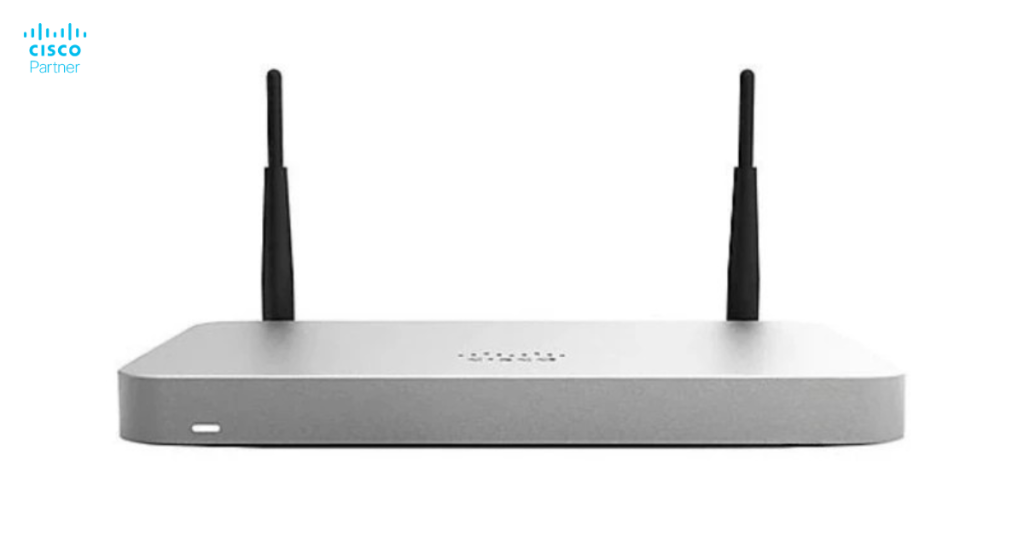
Cisco Meraki licenses are essential for leveraging the full potential of Meraki hardware. These licenses unlock the advanced cloud management capabilities that make Cisco Meraki products stand out. Whether managing security appliances, switches, or wireless access points, understanding the Meraki licensing model is critical to planning and budgeting for your network infrastructure. It’s important to note that licenses and hardware are sold separately.
This article will explore the factors influencing Meraki license cost, typical pricing ranges, and why these licenses are an essential investment for businesses of all sizes. If you’re considering deploying or upgrading a Cisco Meraki solution, this guide will help you understand the value behind the pricing. The main downside of Cisco Meraki licensing is the cost, which can be high for small organizations.

A Cisco Meraki license is required to operate and manage Meraki hardware through its centralized cloud-based dashboard. Each Meraki hardware component requires a cloud license to be managed, and unlicensed hardware will not pass traffic. These licenses enable features like network monitoring, advanced security, traffic analytics, and firmware updates, ensuring your Meraki devices remain functional and secure.
The Meraki cloud provides centralized management for all your devices, allowing you to easily configure and monitor your network from a single dashboard. This centralized cloud dashboard simplifies the management of firewalls, VPNs, and network policies.
Cisco Meraki offers different types of licenses for the security appliance line (MX series), including Enterprise, Advanced Security, and Secure SD-WAN Plus. The MX series (security/SD-WAN appliances) has three licensing tiers: Enterprise, Advanced Security, and Secure SD-WAN Plus, with requirements and features varying by hardware model. The MS series (switches) has two tiers: Enterprise and Advanced licensing, which are applicable only for select hardware models. For wireless access points (MR series) and camera lines (MV series), the licensing is the same for all hardware models within their respective product lines. Licensing requirements can vary depending on the specific hardware model within a product line, so it is important to review the options for each device type.
Cisco Meraki licenses are closely tied to cloud management. Without an active license, your Meraki devices will lose functionality, including access to the Meraki dashboard.
The Cisco Meraki licensing model is built to deliver flexibility, scalability, and simplicity for organizations managing modern networks. At its foundation is the requirement that every Meraki hardware component—whether it’s a wireless access point, switch, or security appliance—must have an active cloud license. This cloud license is what unlocks the full capabilities of your Meraki hardware, connecting it to the powerful, centralized Meraki dashboard.
With this licensing model, administrators gain access to a single, cloud-based dashboard where they can configure, monitor, and secure their entire network infrastructure. This centralized management approach streamlines day-to-day operations, making it easy to deploy new devices, push configuration changes, and enforce security policies across multiple locations—all from one intuitive interface.
The Meraki dashboard provides real-time visibility and control, allowing IT teams to respond quickly to network events, optimize performance, and ensure robust network security. By tying each hardware component to a cloud license, Cisco Meraki ensures that organizations always have access to the latest features, updates, and support, keeping their networks secure and future-ready.
This licensing model not only simplifies network management but also supports organizations as they scale, making it easy to add more devices or sites without complex licensing headaches. For businesses seeking a secure, cloud-managed networking solution, the Cisco Meraki licensing model offers a clear path to efficient, centralized control.
The Meraki cloud is at the heart of Cisco Meraki’s licensing and management ecosystem, serving as the centralized platform that brings together all your Meraki devices under one intuitive dashboard. This cloud-based system empowers organizations to manage, configure, and monitor their entire network infrastructure—whether it spans a single site or multiple locations—through a single pane of glass.
With centralized management via the Meraki cloud, administrators gain real-time visibility into network performance, device status, and security events. This enables proactive network monitoring and rapid response to potential issues, ensuring optimal uptime and performance. Advanced security features are seamlessly integrated, allowing IT teams to enforce policies, deploy updates, and safeguard the network against evolving threats—all from the cloud.
The Meraki cloud also simplifies configuration management. Administrators can push changes, update firmware, and roll out new settings to all Meraki devices across the organization without the need for on-site intervention. This centralized approach not only streamlines day-to-day operations but also supports scalability, making it easy to add new devices or expand to additional locations as your business grows.
For organizations seeking robust network security, efficient management, and comprehensive monitoring, the Meraki cloud is an indispensable component. It transforms the way businesses manage their networks, providing the advanced tools and centralized control needed to stay secure and agile in today’s fast-paced IT landscape. With Cisco Meraki and the power of the Meraki cloud, your network is always accessible, manageable, and protected—no matter where your teams or devices are located.
The cost of a Meraki license depends on the device it supports, and licensing requirements can vary by hardware model. Licenses for access points, switches, and security appliances vary significantly.
The MS series (Meraki switches) offers two licensing tiers: Enterprise and Advanced, with Advanced licensing available only for select models. The MX series (security/SD-WAN appliances) features three licensing tiers: Enterprise, Advanced Security, and Secure SD-WAN Plus.
Licenses are available for 1, 3, 5, 7, or 10 years. When purchasing new licenses with different durations, the co-termination process recalculates the expiration date based on the different license terms, ensuring all licenses align within your organization’s Meraki dashboard. Opting for longer durations often results in a lower annual cost.
Licensing costs scale with the number of devices. As organizations add more devices, they may need to purchase additional licenses to maintain compliance and network functionality. Larger deployments with multiple access points or switches will naturally increase the overall expense.
Additional features such as Cisco Umbrella integration or premium support options can increase the total cost.itional features such as Cisco Umbrella integration or premium support options can increase the total cost.

While exact pricing can vary based on device type and reseller, here are some general cost ranges for Meraki licenses:
For example, the Cisco Meraki MX100 license (lic) is available in multiple durations—1, 3, 5, 7, and 10 years—and comes in different tiers such as Enterprise, Security, and SD-WAN Plus.
Renewal fees can be significant, and licenses must remain active for continued functionality. Expired licenses disable Meraki hardware, emphasizing the importance of timely renewal.
Determine the number of devices, network complexity, and specific features your business requires.
Consider long-term savings from reduced downtime, advanced security, and simplified management.
Work with authorized resellers to explore bulk discounts or multi-year agreements for cost savings.
Where to Buy Cisco Meraki Licenses
Always purchase Meraki licenses from authorized Cisco Meraki resellers like Stratus Informational Systems. Authorized resellers ensure you receive genuine licenses, full functionality, and access to Cisco’s support network.
Avoid unauthorized sellers, as unsupported licenses may lead to compliance issues and service disruptions.
Q: What happens when a Meraki license expires?
A: Devices lose functionality, and the Meraki dashboard becomes inaccessible. Renewal is required to restore service. Note: Expired licenses are removed from organizations within 90 days of the expiration date.
Q: Can licenses be transferred to new devices?
A: No, Meraki licenses are tied to specific devices and cannot be transferred.
Q: Is it possible to upgrade a license mid-term?
A: Yes, you can upgrade to a higher-tier license mid-term, but costs will be adjusted accordingly.
Q: Can you provide an example of how Meraki licensing works?
A: For example, if you add new devices and licenses to your organization, Meraki uses a co-term licensing model. This means all licenses are averaged to create a single expiration date for the entire organization. If you add a new license partway through your current term, the system automatically recalculates the co-term date based on the total license time and device count.
Cisco Meraki licenses are a cornerstone of Meraki’s innovative cloud-managed networking solutions. While costs depend on factors like hardware type, license tier, and duration, the benefits—such as centralized management, advanced security, and scalability—make these licenses a worthwhile investment. Organizations should note that only one licensing model—either co-termination or per-device licensing—can be used at a time within the same organization; mixing models is not supported.
A reliable internet connection is essential for Meraki cloud management, real-time monitoring, and maintaining stable network connections. The Meraki dashboard and device configuration rely on internet access for optimal operation and network security.
Customers are encouraged to contact sales representatives for license options, support with expiring licenses, and guidance on managing their devices within the Meraki ecosystem. To find the proper Meraki license for your business, contact Stratus Informational Systems, an authorized Cisco Meraki reseller. Let our experts help you design a network solution tailored to your needs and budget. Get in touch today!ss, contact Stratus Informational Systems, an authorized Cisco Meraki reseller. Let our experts help you design a network solution tailored to your needs and budget. Get in touch today!