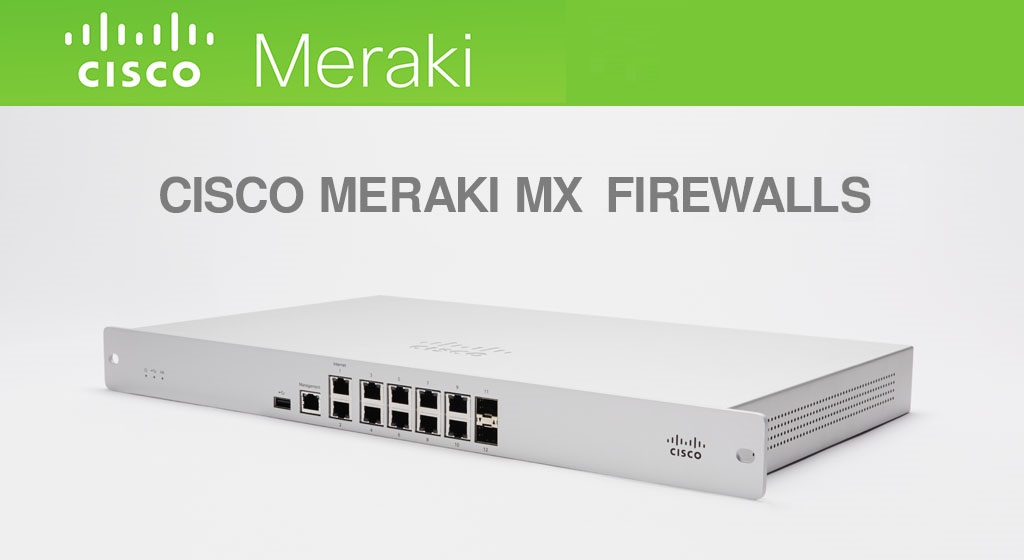
As businesses grow, the need for robust, scalable, and secure networking solutions has never been greater. Network administrators demand modern, reliable, and easy-to-deploy security solutions to address the challenges of distributed enterprise environments. The Cisco Meraki MX series offers cloud-managed security appliances that meet the needs of organizations with distributed offices, remote branches, and complex multi-site networks. Among the notable models in this series are the Meraki MX85, MX95, and MX105, each designed to cater to different networking needs. The Meraki MX85 is suitable for small to medium-sized organizations that need to connect up to 250 users securely. The mx85 hw refers to the specific hardware model of the Meraki MX85, highlighting its hardware specifications and available configurations for organizations evaluating secure networking and SD-WAN capabilities.
In this article, we’ll break down the key differences between Meraki MX85 vs. MX95 and MX105, helping you understand which one best fits your organization’s requirements. Whether you’re running a mid-sized business or managing a large enterprise, choosing the right device is critical for ensuring optimal network performance and security. The MX series enables organizations to connect users securely and efficiently, making it ideal for businesses seeking seamless integration across multiple locations.
The Meraki MX series is a popular choice for distributed enterprises and remote branches. The Meraki MX85 is designed for distributed deployments that require remote administration across medium branch environments.
Introduction to Cisco Meraki
Cisco Meraki stands at the forefront of cloud-managed networking, delivering enterprise security appliances that empower organizations to build secure, scalable, and easily managed network infrastructures. Among its standout offerings is the Cisco Meraki MX85, an SD-WAN appliance purpose-built for medium branch environments that demand both robust security and simple, streamlined deployment.
The Cisco Meraki MX85 is a cloud-managed security appliance designed to make life easier for network administrators. With minimal pre-configuration required, the MX85 enables simple and easy deployment across distributed sites, allowing businesses to get up and running quickly without sacrificing security. The Meraki Dashboard serves as a centralized management platform, giving administrators full visibility and control over their network from anywhere—making remote administration and troubleshooting effortless.
As an enterprise security appliance, the MX85 delivers a comprehensive suite of features to protect your network. It supports client VPN and secure VPN connections, ensuring that remote users and branch offices can connect safely to corporate resources. Advanced firewall rules and content filtering capabilities help block unauthorized access and inappropriate content, while traffic shaping features allow for granular control over bandwidth and application prioritization.
Security is at the core of the MX85, with built-in protections against hackers and evolving threats. The device is engineered to provide a reliable, always-on connection, making it an ideal security solution for medium branch environments that require both performance and peace of mind. The MX85’s SD-WAN capabilities further enhance connectivity, optimizing WAN performance and ensuring seamless access to cloud resources.
Customers benefit from a lifetime hardware warranty, underscoring Cisco Meraki’s commitment to long-term reliability and support. This, combined with the device’s easy deployment and robust feature set, makes the MX85 a smart investment for businesses seeking a secure, cloud-managed network solution.
Whether you’re looking to protect sensitive data, enable secure remote access, or streamline network management, the Cisco Meraki MX85 delivers the enterprise security, flexibility, and ease of use that today’s organizations require. With its powerful combination of security, SD-WAN, and centralized management, the MX85 is the go-to choice for medium branch environments and distributed enterprises seeking to enhance their network infrastructure.

The Cisco Meraki MX series is a line of cloud-managed security appliances that provide Unified Threat Management (UTM), combining advanced security, SD-WAN capabilities, and remote management into a single device. These appliances are designed for organizations seeking seamless, centralized control over their network infrastructure. With features like VPN throughput, content filtering, automatic firmware upgrades, and intrusion detection systems, the Meraki MX series simplifies the process of securing and managing networks across multiple locations. Setting up site VPN connections is especially straightforward with the Meraki MX series, making it highly accessible for small to medium-sized businesses that need reliable site-to-site VPN integration.
At the core of the Meraki MX series is its cloud management system, the Meraki Dashboard, which allows network administrators to monitor and configure devices from anywhere. This enables true zero-touch provisioning, making it easier to deploy devices across various sites with minimal pre-configuration. Whether you’re managing a small office, branch environments, or a large enterprise, the Meraki MX series offers advanced security throughputs, protecting against a wide range of cyber threats.
The Meraki MX series is widely adopted in distributed enterprises, remote branches, multi-cloud environments, and private cloud environments. It is also suitable for various industries, including retail, healthcare, finance, and education, where enterprise security appliances are needed to protect sensitive data and ensure secure connectivity.
The Cisco Meraki MX85, an enterprise security appliance designed for distributed deployments and medium branch environments, requires an active cloud license to unlock its full suite of features and services. As a cloud-managed security solution, the MX85 relies on the Meraki Dashboard for centralized configuration, monitoring, and management—empowering network administrators to deploy, manage, and troubleshoot the device from almost any location with minimal pre-configuration.
Purchasing a cloud license for the MX85 SD-WAN appliance is essential for enabling advanced security features such as firewall rules, content filtering, VPN connections, and traffic shaping. This license transforms the MX85 into a comprehensive security solution, allowing organizations to protect their networks while benefiting from simple and easy deployment. The Meraki Dashboard streamlines remote administration, making it ideal for enterprise environments and medium branches that require secure, scalable connectivity across distributed sites.
Cisco Meraki offers flexible cloud license terms—typically available in 1, 3, 5, 7, or 10-year options—so organizations can choose the coverage that best fits their needs. Renewing the license before expiration is crucial to ensure uninterrupted access to all features, ongoing support, and security updates. Users should expect that if the cloud license is not renewed, the Meraki MX85 will cease to function, as an active license is required for continued operation.
The cloud license also grants access to Cisco Meraki’s extensive support resources, including web-based troubleshooting tools and expert assistance, helping network administrators quickly resolve issues and maintain optimal performance. For detailed warranty information, return policies, and support procedures, refer to the Cisco Meraki website.
In addition to the cloud license, the MX85 security appliance is backed by a robust hardware warranty, which includes next-day advanced replacement and options for lifetime coverage. This ensures that your device remains protected and supported throughout its deployment.
Ultimately, the cloud license is a vital component of the Cisco Meraki MX85 security appliance, enabling organizations to fully leverage its SD-WAN, VPN, and security capabilities. By securing the appropriate license, businesses can confidently deploy and manage their MX85 devices, ensuring a resilient, secure, and easily managed network infrastructure.
Deployment Options
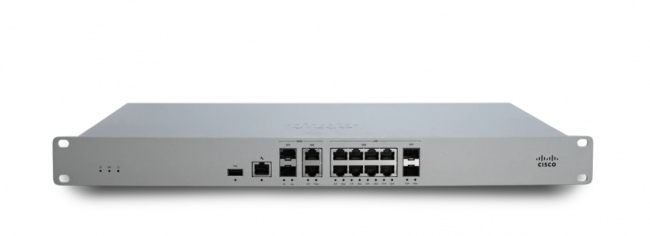
The Meraki MX85 is a cloud-managed security and SD-WAN appliance designed for organizations seeking robust network security and simplified management. When planning to purchase the Meraki MX85 and its required licenses, organizations should consider their user capacity needs, as the device is considered suitable for small to medium-sized organizations needing to connect up to 250 users.
The Meraki MX85 is positioned as a mid-tier security appliance, offering a balanced combination of performance and affordability. The MX85 provides 4 dedicated WAN uplinks, including 2 x 1GbE SFP ports and 2 x RJ45 1GbE Ethernet ports, supporting flexible connectivity for both fiber and copper WAN connections. For LAN connectivity, it features 8 x RJ45 1GbE LAN ports and 2 x SFP LAN ports, allowing for robust wired network expansion.
The MX85 supports pluggable optics (GbE SFP), enabling high-speed backbone connections between wiring closets or to aggregation switches. While the MX85 does not provide PoE (Power over Ethernet) on its ports, it operates on a power supply of 90-264VAC (47-63Hz) and is designed for an operating temperature range of 32°F to 113°F (0°C to 45°C). With its compact design and comprehensive port options, the MX85 is ideal for businesses with moderate networking needs.
The MX85 delivers 1 Gbps of throughput, making it suitable for mid-sized branches and remote offices that require secure connectivity but don’t have extremely high data demands. Its Layer 7 firewall ensures comprehensive protection against network threats, while SD-WAN and Auto VPN capabilities streamline the process of connecting multiple sites.
The MX85 is ideal for mid-sized businesses and branch environments seeking a cost-effective solution with secure, reliable connectivity. It strikes a balance between performance and security, making it a great choice for organizations that require strong protection without the need for enterprise-level throughput.tion without the need for enterprise-level throughput.
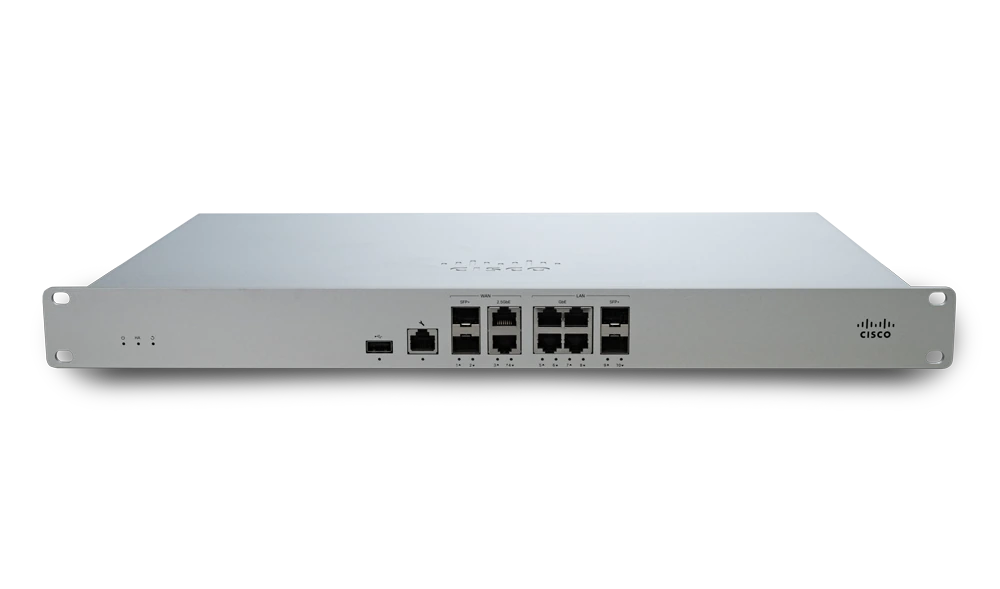
The Meraki MX95 steps up in terms of performance, featuring 4 Gbps throughput, making it well-suited for growing networks with more demanding data traffic. With its SFP+ ports, it offers increased flexibility for connecting to various types of networks.
The MX95’s higher performance allows it to handle increased data traffic and a greater number of concurrent users. This makes it ideal for medium to large branches that experience higher bandwidth usage. The enhanced SD-WAN performance ensures that traffic between multiple locations is routed optimally, reducing latency and improving overall network performance.
The MX95 offers a suite of advanced security capabilities, including:
The MX95 best suits businesses with growing bandwidth needs and higher traffic loads. It is particularly well-suited for medium to large branches that need a more robust solution to handle increased data demands but without the full enterprise-grade features of the MX105.
At the top of the range is the Meraki MX105, an enterprise-grade security appliance designed for large-scale networks. With 7 Gbps throughput, the MX105 is ideal for organizations that require the highest level of performance and security.
The MX105 can handle heavy traffic loads and is designed for large offices, data centers, and multi-site organizations. It offers advanced load balancing and failover capabilities, ensuring that critical applications remain available even during network disruptions.
Security is paramount in the MX105, which offers the most advanced security features in the Meraki MX lineup:
The MX105 is designed for large enterprises, data centers, and organizations with complex, high-performance networking requirements. It’s the best choice for companies that need to secure a large number of users and devices while maintaining high security and throughput.
The MX85 can support a moderate number of concurrent users, while the MX95 is built to handle more users and devices with increased traffic. The MX105 is optimized for environments with high user density, such as large offices and multi-site deployments.
The MX95 and MX105 feature SFP+ ports for greater flexibility in connecting different network types. The MX105 also has more ports overall, allowing it to support more complex network configurations.
While all three models support SD-WAN and Auto VPN, the MX95 and MX105 provide better performance for organizations with multi-site networks or remote client VPN needs. The MX105 is particularly suited for enterprise environments where VPN throughput is critical.
When considering Meraki MX85 vs. MX95 vs MX105, businesses should weigh the cost-to-performance ratio. The MX85 offers solid performance at a lower cost, while the MX95 provides better scalability and features for a higher price. The MX105, though more expensive, delivers exceptional performance for organizations with mission-critical environments.
For small to mid-sized businesses, the MX85 offers an affordable, scalable solution. However, as your business grows, you may need the additional performance and security features of the MX95 or MX105.
If your organization experiences high network traffic, you’ll want to opt for a model with higher VPN throughput. The MX95 and MX105 are ideal for businesses with multiple sites or heavy data usage.
Security should be a top priority for any business. If your network deals with sensitive data, the advanced security features of the MX95 and MX105, including Cisco AMP and intrusion detection, will provide the necessary protection.
It’s crucial to consider future growth. The MX105 offers the most scalability for large enterprises, while the MX95 is perfect for businesses in a growth phase that anticipate increased data usage and user numbers.
The Meraki MX85, MX95, and MX105 each offer unique benefits based on your organization’s size, bandwidth needs, and security requirements. When evaluating the Meraki MX85 vs. MX95, it’s essential to consider the performance needs of your network. The MX85, with its 1 Gbps throughput, is ideal for mid-sized businesses that require secure, reliable connectivity. On the other hand, the MX95, offering 4 Gbps throughput, is better suited for growing organizations with higher bandwidth demands and more concurrent users. The right choice is crucial for businesses planning future scalability, as the Meraki MX85 vs. MX95 decision will impact your network’s capacity to handle increased traffic over time. The MX85, while more affordable, is tailored to mid-sized environments, providing a solid balance of cost and capability.
The centralized management dashboard, accessible via the management page, allows for configuration, monitoring, and troubleshooting of the MX85 from anywhere—eliminating the need for on-site IT staff. Meraki provides enterprise-level support for all products with valid licenses, ensuring your network is always backed by expert assistance. The Meraki MX85 also comes with a full lifetime hardware warranty and next-day advanced replacement, giving you peace of mind with your investment.
In the Meraki MX85 vs. MX105 comparison, the MX105 stands out with its 7 Gbps throughput, making it the go-to solution for large enterprises and data centers that need top-tier performance and robust security features.
If you have concerns beyond standard return policies, such as damaged or incorrect items, you can submit a review or request for consideration via the support page or by email within the specified timeframe.
Choosing the right model depends on your current and future needs, and Stratus Informational Systems is here to help you make an informed decision. Contact us to ensure your business has the best Meraki solution for your environment.