Adding locations often starts as a business win and quickly becomes an operations test. A new branch opens with a tight deadline. A warehouse adds scanners, cameras, and voice endpoints. Remote work becomes permanent. Then the network team inherits hundreds of small differences. Naming drifts. Policies vary from site to site. The help desk sees the same issues repeating with slightly different symptoms. At that point, “more sites” stops being a capacity problem and becomes a coordination problem.
This is where Cisco Meraki can shine, if the environment is designed for scale from the beginning. Meraki’s cloud-managed approach supports consistent policy, faster rollouts, and clean visibility across sites through a centralized dashboard. Strong multi-site network management comes from the same fundamentals every time: a clear hierarchy, repeatable standards, disciplined change control, and the right amount of network automation.
Stratus Information Systems can help you plan a Meraki rollout that stays simple as you add locations, devices, and teams.
“Large” looks different across industries. For a retailer, scale might mean 400 small stores and weekly change windows. For healthcare, it can mean a handful of large campuses plus many clinics with strict access controls. For manufacturing, it might be fewer sites but far more connected endpoints, including industrial IoT, handhelds, and cameras. In each case, the failure mode is similar. Local exceptions multiply until nobody can explain what “standard” means anymore.
The first step is naming the pressure points. Do you expect rapid site adds? Are you merging networks after an acquisition? Do you have multiple IT teams that must share responsibility? Are you expanding into regions with different governance requirements? These questions decide how you organize your Meraki estate and how aggressive you should be with standardization and automation. It is the difference between scaling smoothly and running an endless cleanup project.
Most teams fall into one of two modes. A dashboard-first team uses the Meraki cloud dashboard for nearly all lifecycle operations. That can work well if you keep structure and naming tight, and if you avoid creating one-off sites that require tribal knowledge to support.
An automation-first team treats the dashboard as a control plane and reporting layer, while changes and audits run through scripts and pipelines. This approach suits organizations with strong DevOps practices or strict change control. It also makes remote configuration more consistent across regions, because changes follow a predictable workflow rather than ad hoc edits during incidents.
You can mix both. Many organizations do. The key is choosing a primary operating model, then documenting where the other model is allowed. That single decision reduces confusion later.
Scaling without complexity requires metrics that reflect operational reality, not just “uptime.” A practical set includes time-to-turn-up for new sites, change failure rate, mean time to resolve incidents, configuration drift rate, and the time required to produce evidence for audits or leadership reporting. Add one more metric that rarely gets tracked: how long it takes to answer “what changed?” during an outage.
These metrics keep the program grounded. They also help justify investments, such as better staging discipline, stronger monitoring exports, or deeper network automation work. If your network scalability plan cannot be measured, it will slowly become a collection of partial fixes.
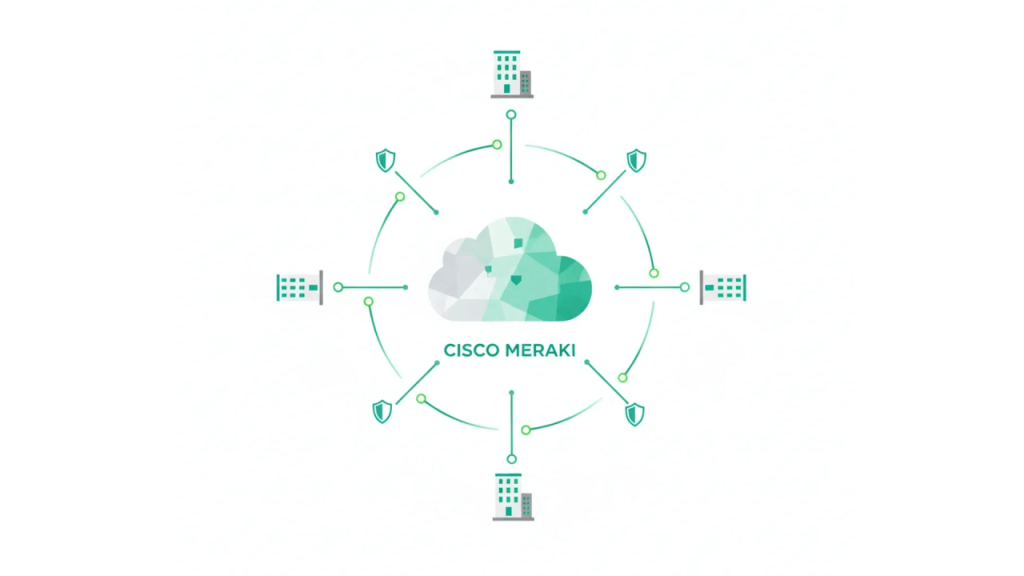
Meraki’s hierarchy looks simple on paper, but it behaves like an operating system for your environment. At the top, an organization is the container for licensing, administrators, templates, and overall governance. Inside it, networks typically map to a site, campus segment, or clearly defined operational domain. Devices live inside those networks, which is what makes the dashboard usable as you scale.
When you design the hierarchy to match real teams and responsibilities, troubleshooting gets faster. A help desk analyst can open one network and see only the devices and clients relevant to that site. A regional engineer can manage a subset of locations without touching the entire fleet. Reporting becomes meaningful because health and usage data align with how the business thinks about locations.
When hierarchy is ignored, pain arrives quietly. Devices get claimed into the wrong networks. Admins get over-scoped because correcting permissions becomes too hard. “Temporary” naming conventions become permanent. The dashboard still works, but your people spend more time navigating it than operating the network.
For many companies, one organization per company is the cleanest model. It supports consistent templates, unified reporting, and simpler administrator design. It also reduces duplicated work across teams.
Multiple organizations can still be the right choice in specific situations. Service providers managing distinct customers need isolation. Global companies may need separation by business unit or governance model. Some environments separate for privacy and operational ownership. The trade-off is cost in time and coordination. Standards and template changes do not automatically synchronize across organizations. If you split, plan how you will keep consistency. That can be as simple as a “gold standard” template set with disciplined change review, or as advanced as validation checks using APIs.
A good rule: split only when you can name the operational benefit clearly and maintain it over time.
It is tempting to build giant networks “because it works.” At scale, that can become a support bottleneck. The dashboard becomes noisy, client lists become unwieldy, and changes become riskier because everything is connected to everything else.
Instead, define boundaries that reduce operational friction. For example, many teams separate networks by site for clarity. Others separate by site plus function, such as corporate users versus IoT or cameras. High camera density often benefits from separation because it changes how you monitor performance and troubleshoot. Warehouses with specialized RF constraints might warrant their own wireless baseline. Your goal is not to create more objects. Your goal is to create boundaries that make sense to humans during incidents.
This is one of the most important design choices for long-term multi-site network management.
Templates are one of the strongest tools in Meraki scaling. They allow you to bind many networks to a living baseline, then apply consistent configuration over time. That is ideal for repeatable site types such as retail stores, clinics, branch offices, and small campuses. A template can standardize SSIDs, authentication defaults, VLAN patterns, firewall rules, switch port profiles, and baseline wireless settings.
Templates also reduce the operational cost of change. When you add a new approved SSID or update a security policy, you can apply it consistently rather than repeating manual work across dozens of sites. That consistency matters for enterprise operations because it makes behavior predictable. Predictability is what turns incidents into routine troubleshooting instead of detective work.
Template discipline is essential. A single template change can affect hundreds of sites. Treat template edits like code changes. Use peer review. Validate in a pilot group first. Keep a rollback plan. This is how you keep simplicity as you grow.
Cloning copies a known configuration into a new network, and then the new network becomes independent. This can fit teams that prefer local flexibility, or teams that manage standards using scripts rather than template bindings. It is also helpful when two sites should start similar but will evolve differently due to local requirements.
Clone-first approaches work well when you have strong governance. Without it, drift becomes inevitable. If you clone, you must decide how changes get applied later. Some teams schedule periodic “alignment reviews” where key settings get compared. Others rely on network automation to validate and remediate drift across fleets.
Cloning is not a downgrade from templates. It is a different control model. The right choice depends on how your team actually works.
Configuration drift is rarely malicious. It is usually caused by urgency. A site has a problem. Someone makes a local change. Nobody documents it. Months later, a similar incident occurs, and the fix that worked elsewhere fails. Multiply that by 300 sites, and you get complexity that feels impossible to solve.
Drift prevention has three parts. First, define what must be consistent and what can vary. Second, design change workflows that make exceptions visible. Third, audit consistently. The audit can be a recurring dashboard review, a checklist tied to change windows, or an automated validation report. Whichever method you choose, drift prevention must be treated as routine operations, not an annual cleanup.
Tags add a second organizational dimension above network names and device lists. They let you group and filter without restructuring. In large deployments, that is powerful. Tags can describe purpose, ownership, lifecycle stage, or region. Examples include “MX-Branch,” “Warehouse,” “Retail-East,” or “Pilot-Ring.” The point is to add context that stays stable.
The biggest advantage is speed during incidents. When a carrier outage affects a region, tags help you identify impact quickly. When a firmware issue appears on a device family, tags help isolate affected devices. Tags also support delegation, because teams can focus on their slice of the environment more easily.
Do not let tags become a second naming mess. Keep the taxonomy small, documented, and stable. Tags should represent durable properties. Temporary tags can be used, but they should have an expiry rule and a cleanup process.
Naming sounds minor until you scale. A good naming standard improves troubleshooting, reporting, and change confidence. Site naming should match how the business describes locations. Device naming should reveal the role. Network naming should make it obvious what is inside. The goal is clarity under pressure.
A practical pattern: include the site identifier and the function. For example, “NYC-HQ Corp,” “NYC-HQ Voice,” or “Store-112.” Device names can include role plus floor or closet. Even a simple naming discipline can cut ticket time because engineers spend less time figuring out context.
Standard names also support automation, because scripts can reliably target groups without manual lookup.
As your Meraki environment grows, permission design becomes a security and operational control. Organization admins should be limited. Network-level roles should align with responsibilities, such as regional operations or site support. Read-only access is valuable for help desks and NOC teams. Guest ambassador roles can enable front desk staff to support guest Wi-Fi workflows without touching core configuration.
For identity management, SAML-based SSO is standard in larger environments. It helps centralize access control and offboarding hygiene. For API usage, treat credentials as privileged. Implement ownership, secure storage, and change review. Network automation is only an improvement if it is controlled.
Zero-touch provisioning works best when it is treated as a complete workflow.
This is not limited to one product line. It can apply to Meraki MX security appliances, Meraki MS switches, Meraki MR access points, Meraki MG cellular gateways, and Meraki MV cameras. The benefit is a consistent rollout at scale without requiring expert hands in every location.
The reason this supports network scalability is simple. Your best engineers spend time designing standards and solving complex problems, not repeating staging steps for every new site.
Zero-touch failures most often occur for physical reasons, not dashboard ones. WAN handoff details are wrong. The ISP modem is not in the expected mode. Cabling does not match the plan. The PoE budget was not considered. The AP layout does not match the environment. All of these issues can be reduced with a repeatable staging checklist.
A strong staging checklist includes WAN requirements, VLAN expectations, switch uplink design, AP power and mounting requirements, SSID and authentication readiness, and escalation steps for site staff. If you can give a non-technical site contact a one-page guide, you will reduce failures dramatically.
Staging discipline turns remote configuration into a reliable practice rather than a gamble.
Once a site is live, your team needs safe ways to adjust settings and troubleshoot. Meraki’s dashboard tools can support that, but the real improvement comes from standard operating procedures. Define when changes are allowed. Define who approves template edits. Define the process for exceptions. Define how incidents get documented.
Remote configuration should feel routine, not risky. When teams rely on “quick fixes” without review, complexity debt accumulates. When teams rely on repeatable steps and change discipline, scaling stays simple.

A centralized dashboard is excellent for operational views, quick checks, and troubleshooting. For larger environments, many teams also export telemetry to external systems for long-term retention, correlation, and alert tuning. This does not replace the Meraki dashboard. It complements it.
The decision comes down to use case. If you need long historical event retention, syslog export can help. If you need structured reporting across orgs and networks, APIs can be better than manual exports. If you use existing monitoring platforms, SNMP can still play a role for basic health metrics.
A unified network monitoring strategy is not about using every method. It is about choosing the few that match your operational needs and sticking with them.
SNMP fits environments that already have established NMS tooling and want standardized polling metrics. Syslog exports are useful for event correlation and retention, especially when you want consistent logs across many device types. APIs are powerful for inventory reporting, configuration validation, and operational audits.
Large deployments often combine these. For example, syslog and SIEM workflows can support incident response, while API-based reporting supports compliance evidence, inventory reconciliation, and drift detection.
The most important point is consistency. If each region monitors differently, the operations model becomes fragmented. Standardize monitoring and alerting as you standardize configuration.
At scale, you cannot dispatch for every issue. Remote troubleshooting tools become your baseline. Meraki provides visibility into clients, ports, and device health. Packet captures, cable tests, and event logs help isolate the layer where a problem lives. That reduces time-to-resolution and prevents unnecessary hardware swaps.
Build a troubleshooting playbook that matches your environment. For example, define steps for suspected WAN issues versus authentication failures, versus RF saturation. The playbook should include what data to collect, what thresholds matter, and when to escalate. When you have hundreds of sites, repeatable troubleshooting is a major contributor to simplicity.
Many teams avoid the term software-defined networking (SDN) because it’s used loosely. In practice, Meraki can support a very grounded SDN-style operations model. You define intent centrally, enforce policy at distributed devices, and track changes through the management plane. That is the real value. It is not marketing language. It is an operating model.
In a multi-location environment, SDN-style operations reduce the number of “special cases.” They also reduce the chance that two engineers solve the same problem in two different ways. When policies are centralized, changes are easier to review, roll out, and audit. Over time, the network becomes more predictable, which lowers incident rates and lowers operational stress.
This is the difference between scaling a network and scaling a team.
Wireless often becomes the visible pain point because users notice Wi-Fi issues immediately. Still, the solution is rarely “more APs.” At scale, focus on standards. Keep SSID counts low. Standardize authentication. Use consistent RF boundaries and validate outcomes with real metrics, not assumptions.
Meraki MR access points can support large deployments well, but the bigger win is operational: a consistent SSID policy, predictable security settings, and clear troubleshooting paths for authentication and performance issues.
Switching is where hidden complexity grows, especially when every site has different port naming and VLAN behavior. Meraki MS switches allow standardized port profiles, consistent uplink models, and policy-based control that is easier to manage than device-by-device exceptions. At scale, switching standards protect you from the “one weird closet” problem.
Define port profiles for common roles: user access, voice, printer, camera, AP uplink, and router uplink. Standardize trunking and VLAN tagging. Document exceptions. These habits matter more than any single feature.
Meraki MX security appliances are often the anchor for site-to-site connectivity and WAN policy. For scale, focus on consistent segmentation and consistent WAN intent. Decide how traffic should exit, how VPN should behave, how failover should trigger, and how policies should apply to site types.
If you have cellular backup, Meraki MG cellular gateways can provide a consistent LTE or 5G failover design for remote sites. That makes uptime more predictable and reduces “one-off ISP problems” as an operational risk. Consistent edge posture across sites is one of the clearest ways to reduce complexity.

Technical mistakes in large Meraki environments are often operational mistakes in disguise. No tagging strategy means nobody can filter effectively under pressure. Poor naming turns routine troubleshooting into guesswork. Skipping staging increases day-one failures. Excessive organization splitting creates duplicated work and fractured standards. Uncontrolled template edits can cause a broad impact and erode trust in the platform.
People and process mistakes can do even more damage. If you do not design admin roles intentionally, changes become risky, and accountability becomes unclear. If you do not maintain break-glass access, you can lock out your own team during an incident. If you do not train teams on template versus cloning workflows, drift becomes inevitable.
The fix is rarely dramatic. It is usually a set of disciplined habits applied consistently. Those habits are what keep multi-site network management simple as you scale.
Scaling Cisco Meraki across multiple locations without complexity comes down to a repeatable operating model. Start with a hierarchy that matches how your teams work. Standardize naming and tagging so context is always clear. Choose templates or cloning intentionally, then defend the choice with governance and audits. Use zero-touch provisioning as a workflow, not a shortcut. Build monitoring that scales past “look at the dashboard.” Add network automation where it reduces real effort and reduces error, not where it simply feels modern.
Stratus Information Systems can help turn the ideas in this guide into a repeatable rollout model. The goal is simple: faster site turn-ups, fewer one-off fixes, cleaner visibility, and less drift. Once that operating model is in place, linking edge, wireless, switching, and backup connectivity into a consistent Meraki standard gets much easier.