Multi-site networks used to have a clean edge. Users sat in offices, apps lived in a data centera and the perimeter was protected by a pair of firewalls and an MPLS router. That model breaks down fast once workloads move into public cloud, teams work from anywhere, and environments expand through acquisitions. The typical response is a patchwork of tunnels, manual route updates, and one-off cloud security rules that drift over time. The result is fragile connectivity, inconsistent segmentation, and troubleshooting that starts with, “Which tunnel carries this traffic today?” Solid cloud networking needs a design that keeps routing predictable, keeps controls consistent, and keeps changes reviewable across on-prem and cloud.
Cisco Meraki vMX provides a practical way to extend an existing Meraki SD-WAN fabric into AWS and Azure without turning cloud connectivity into a separate discipline. Deployed as a virtual appliance inside your cloud environment, it can join Meraki Auto VPN so branches, campuses, and data centers can reach cloud subnets through a consistent hub model. Policy enforcement, segmentation intent, and operational visibility stay aligned across the wireless, switching, and security layers you already manage. Stratus Information Systems helps organizations design Zero Trust architectures with Cisco Meraki that remain enforceable as networks scale.
Cisco Meraki vMX is best viewed as a VPN concentration point that lives inside your cloud network boundary. Instead of terminating tunnels on a physical appliance in a data center, you place a virtual MX in your cloud environment and allow it to participate in your Meraki Auto VPN topology. That gives your branches a straightforward path into cloud workloads, and it gives your cloud workloads a consistent path back to your sites. The key operational difference is that the “hub” function sits where the workloads are, rather than back on-premises.
This matters for latency, routing clarity, and segmentation. A branch can send traffic destined for cloud subnets directly into the Auto VPN overlay toward the vMX hub. You avoid building a parallel stack of third-party VPN endpoints and ad hoc routing glue just to make the cloud reachable. In practical terms, Cisco Meraki vMX reduces the number of moving parts you need to operate when your environment spans on-prem and cloud.
Hybrid connectivity succeeds or fails on routing behavior. In a Meraki design, the routing goal is simple: traffic destined for cloud subnets should have a clear next hop, and return traffic should follow the same policy intent. With Cisco Meraki vMX, you typically advertise cloud routes into the overlay so remote sites know where to send traffic. In the other direction, the cloud side needs route table entries that forward traffic for on-prem subnets toward the vMX.
The main design work is not the tunnel itself. It is choosing how routes are represented, how overlapping address space is prevented, and how “default path” decisions are made. For example, if you want all internet breakout to stay local at branches, you design for that. If you want specific traffic classes to reach centralized security services, you design for that. The vMX becomes a predictable anchor point for cloud reachability while your broader SD-WAN policy defines what gets sent through the overlay.
A cloud extension introduces a question that teams sometimes postpone: where should enforcement live? A virtual hub can apply security policies at the overlay boundary, but your cloud environment also has native controls that are excellent at isolating workloads and scoping reachability inside VPCs or VNets. The cleanest outcome comes from dividing responsibilities.
Use the vMX and SD-WAN layer to enforce reachability between sites and cloud zones, and use cloud-native controls to enforce workload-to-workload constraints inside the cloud. That avoids the mistake of pushing every control into one place. It also avoids the opposite mistake, where cloud rules become the only controls and site-to-cloud connectivity becomes overly permissive. Done well, cloud networking becomes consistent: the overlay governs inter-zone paths, and the cloud layer governs internal workload boundaries.
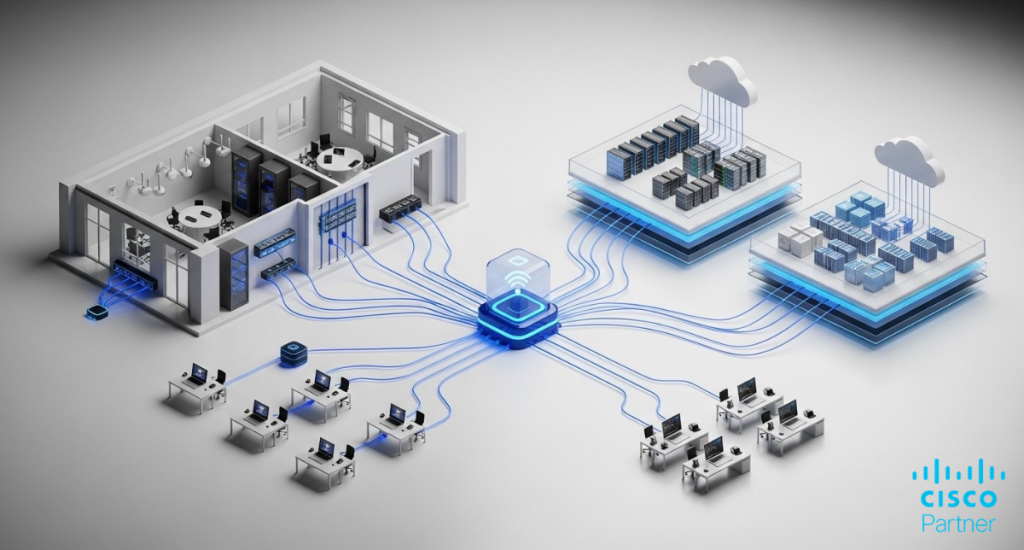
A stable AWS deployment starts with the VPC layout. Plan the VPC CIDR so it does not overlap with on-prem subnets or other clouds you plan to connect later. Overlapping address space is one of the fastest ways to turn a hybrid rollout into months of exception handling. Next, define which subnets will host workloads, which subnet will host the vMX interface, and how routes will be controlled.
From an operational standpoint, treat route tables as part of the design, not as a post-deployment task. Each workload subnet needs a route for on-prem networks that points toward the vMX path. Decide early if the vMX will be the primary gateway into the VPC for on-prem reachability, or if you will use additional routing appliances for advanced patterns. Keep the first iteration simple. Meraki AWS connectivity works best when the first goal is predictable reachability, then policy refinement.
In AWS, Cisco Meraki vMX is deployed as a virtual instance. The workflow typically includes provisioning the instance, assigning it the right network interfaces, and ensuring it has the right external reachability to register with the Meraki dashboard. You claim the vMX into your organization, assign it to a network, and configure it as part of your VPN topology. Once it is online, it behaves like a cloud-resident hub rather than a branch edge.
Focus on two practical details during launch. First, ensure the addressing and interface placement match the route table intent. Second, keep the registration path reliable. If the vMX cannot reach the cloud management plane cleanly, you will lose time debugging symptoms that look like routing issues but are actually connectivity registration problems. Once those basics are correct, the vMX can join Meraki Auto VPN and start learning and advertising the required routes.
High availability in AWS is rarely solved by a single checkbox. It is solved by designing for failure modes: instance failure, AZ disruption, routing misconfiguration, and upstream dependency issues. For a Cisco Meraki vMX hub design, the practical starting point is ensuring that the VPC route tables are clean and that you can validate failover behavior through controlled tests.
If your environment needs resilience beyond a single placement, plan for redundancy at the architecture level. That can include multiple hubs, multiple regions, or a deliberate separation between production and non-production routing domains. The most important practice is testing. Simulate loss of the primary path, confirm expected convergence, and verify return traffic. Without that validation, high availability becomes a document rather than an operational capability.
Azure introduces similar planning requirements, with some different primitives. You define a VNet, choose address space that will not overlap with other connected domains, and create subnets for workloads and for the vMX placement. Network Security Groups should reflect your intent for what traffic can reach workloads from on-prem, and what traffic can return.
The success factor in Meraki Azure deployments is clarity around route control. Your subnets should have explicit routes for on-prem networks that forward toward the vMX path. Keep routing logic readable. If you rely on implicit defaults, it becomes harder to diagnose issues when traffic takes an unexpected exit. Treat every route that influences site-to-cloud traffic as a governed artifact.
Azure deployment follows a similar pattern: provision the virtual appliance, connect it to the right subnet(s), and ensure it can register with the Meraki dashboard. Once enrolled, it can participate in Meraki Auto VPN and act as the hub for cloud subnets.
A useful operational habit is to separate the deployment tasks into three checkpoints. First, confirm the appliance is reachable and registered. Second, confirm Azure routing sends on-prem traffic for cloud subnets toward the vMX. Third, confirm return routes exist so cloud workloads can reach back to on-prem networks through the same intended path. That sequence prevents circular troubleshooting where teams bounce between dashboard, Azure routing, and security policies without a clear baseline.
Azure’s routing model makes it easy to create precise forwarding behavior through user-defined routes. That is valuable for controlling where site-to-cloud traffic goes. It is also a place where simple mistakes can have large impact. For example, a missing route on one subnet can create intermittent failures that look like application instability rather than network design issues.
Build a repeatable model: a documented route set for each subnet category, a validation step during deployment, and a change process for updates. If you need a failover, treat it as an end-to-end behavior. Validate the failover path, validate recovery, and confirm application sessions behave as expected when paths change. In cloud networking, stability often depends more on operational discipline than on the feature list.
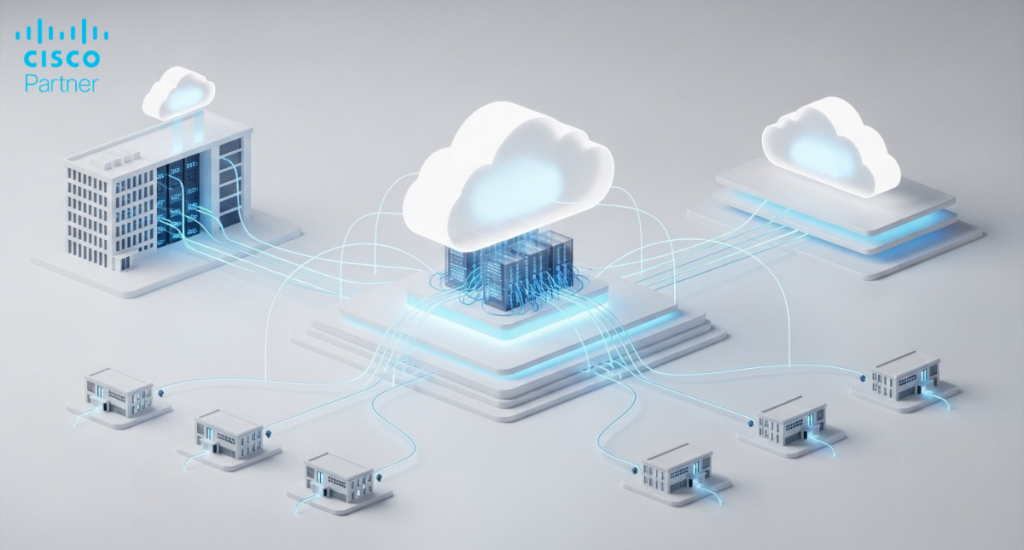
The most common pattern is hub-and-spoke, with the vMX as a hub inside the cloud environment. Branches and campuses connect to the hub through Meraki Auto VPN, and cloud subnets are reachable through the same topology. This design keeps routing intent centralized and keeps branch configuration lightweight.
Operationally, hub-and-spoke works well when you want clear enforcement boundaries. You can define which networks are allowed to reach which cloud zones, and you can audit that intent through a consistent set of policies. It also makes troubleshooting easier. When something breaks, you have fewer potential transit paths to investigate. For distributed organizations, this is often the right starting point for Cisco Meraki vMX deployments in AWS and Azure.
Some environments need more than a single hub. Multi-cloud strategies often require both Meraki AWS and Meraki Azure to be reachable from the same sites, sometimes with different latency or compliance needs. In those cases, you can extend the SD-WAN fabric so both clouds appear as routable domains with controlled adjacency.
The core design question becomes: do you want clouds reachable through one another, or only through on-prem connectivity? A clean multi-cloud design avoids accidental transitive routing that creates surprise paths. Instead, you define explicit reachability: which sites can reach which cloud subnets, and whether cloud-to-cloud traffic is permitted. In a mature environment, this becomes part of governance, not a one-time implementation detail.
Once connectivity exists, traffic steering becomes the operational lever. Some traffic should never traverse the overlay. Some traffic should always traverse the overlay. Some traffic should traverse it only under defined conditions. Meraki Auto VPN provides the fabric, but policy decisions define how it is used.
For example, you may decide that management traffic and directory services should always remain within defined trust zones, while user traffic to specific SaaS destinations breaks out locally. You may also decide that traffic to cloud workloads is always routed through the vMX hub for inspection or segmentation purposes. The point is to make these decisions deliberate, document them, and validate them. That is how cloud networking stays predictable as the environment grows.
A cloud extension should not weaken identity controls. The Meraki dashboard supports role-based administration and auditability for changes. Pair that with clear ownership boundaries: who can modify VPN topology, who can modify firewall rules, and who can change route advertisements. For hybrid networks, identity errors often become security incidents because they change reachability.
On the data plane, identity can influence access decisions through segmentation strategies and upstream identity systems. Define which identities are allowed to reach cloud workload zones, and ensure that access control is reflected in both network policy and cloud-native policy. The goal is to eliminate “broad reachability plus trust in application auth” as the default. Hybrid reachability is powerful. Treat it as privileged.
Inside the cloud, segmentation should remain cloud-native first. Use VPC or VNet segmentation, security groups, and internal route controls to prevent lateral movement. The vMX should not become a replacement for workload isolation. Instead, it should provide a controlled bridge between on-prem domains and cloud domains.
For many teams, the most useful structure is zone-based: production, non-production, shared services, and partner connectivity. Each zone has defined ingress and egress rules, and only specific on-prem networks can reach it. That approach scales and is auditable. It also prevents the common hybrid mistake where “cloud” becomes one flat super-network that every branch can reach.
Visibility must span both worlds: SD-WAN state and cloud state. On the Meraki side, track VPN status, route propagation behavior, and policy enforcement outcomes. On the cloud side, track flow logs and security events tied to your cloud-native controls. Align timestamps and ownership.
A practical best practice is to define “golden signals” for the hybrid link: reachability from a branch to a cloud subnet, reachability from cloud to a critical on-prem dependency, and latency thresholds that reflect real application behavior. Alert on those, not on superficial checks. When hybrid networks fail, they often fail in partial ways. Good monitoring catches partial failure before users do.
The first class of mistakes is technical. Overlapping CIDRs create unpredictable routing and force ugly NAT workarounds later. Missing route table entries create intermittent failures across subnets. Overly permissive cloud security groups turn hybrid reachability into a security liability. Another common error is treating the vMX like a generic firewall replacement for cloud-native controls, which can lead to brittle designs and unclear enforcement boundaries.
The second class of mistakes is operational. Teams deploy Cisco Meraki vMX, confirm a ping works, and stop there. Then a month later, a new subnet is added in AWS or Azure, and nobody updates route tables or governance documentation. Drift appears, and troubleshooting becomes reactive. Hybrid success comes from lifecycle management: address planning, route governance, controlled change, and regular validation. That is the difference between a “cloud extension” and a reliable cloud networking architecture.
A clean cloud extension with Cisco Meraki vMX is built on a small set of principles: consistent addressing, explicit routing intent, segmentation that limits reachability, and operational visibility that spans both on-prem and cloud. When the design is disciplined, the cloud behaves like an extension of your network, not a separate domain that requires constant manual intervention.Stratus Information Systems designs and deploys Cisco Meraki vMX architectures that keep hybrid connectivity predictable as you add sites, add subnets, and expand cloud footprints. If your team needs a second set of eyes on routing design, segmentation boundaries, or multi-cloud topology decisions, Stratus Information Systems can help you build an approach that scales cleanly without creating operational debt.