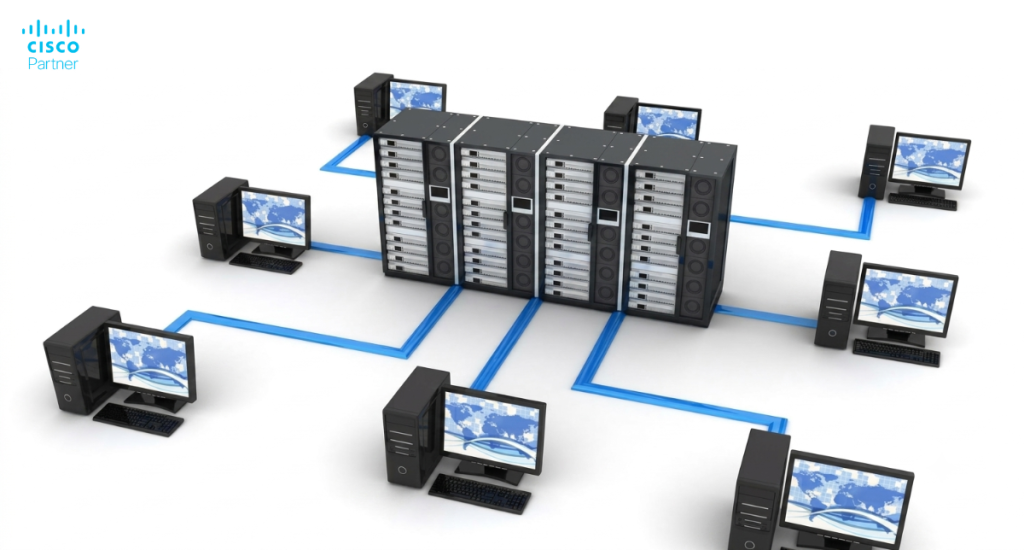
A site-to-site VPN creates an encrypted path between locations so traffic can move privately across the internet. A gateway device, such as a Meraki MX, manages the VPN connection between offices, ensuring secure and reliable communication. Teams rely on it for branch access to shared services, inter-office application traffic, centralized logging, and predictable routing between networks. If the goal is stable connectivity between offices, a well-planned Meraki site-to-site VPN can deliver that with far less operational drag than traditional firewall-to-firewall builds.
It also reduces the “special case” problem. Without a structured VPN design, every new office adds custom ACLs, ad-hoc NAT, and fragile routing decisions. Over time, that patchwork becomes the outage story. A consistent site-to-site VPN Meraki pattern gives you repeatability, which matters when you add sites, migrate circuits, or shift workloads into cloud networks. Many businesses with multiple offices rely on Meraki devices to simplify network management.
What is a site-to-site VPN in practical terms? It is a secure tunnel that connects private networks at two or more locations, allowing them to route traffic as if they were on a single extended network while keeping the traffic protected. The main office or head office often acts as the central point for connecting branch locations using Meraki MX firewalls. The VPN tunnel allows secure communication over the public internet, with the MX device acting as a security device at each site.
The Cisco Meraki MX series is a powerful family of cloud-managed security appliances designed to simplify and secure networking for organizations with multiple locations. With the Meraki MX, businesses can easily create and manage site-to-site VPN tunnels, enabling seamless communication and resource sharing between remote offices, branch sites, and main campuses. The cloud-based dashboard allows IT teams to configure, monitor, and troubleshoot VPN connections from anywhere, reducing the complexity typically associated with traditional site VPN deployments.
Meraki MX devices are engineered to provide robust security, including advanced threat protection, content filtering, and intrusion prevention, all managed through a single interface. This makes it straightforward to connect networks across different sites, ensuring that sensitive data travels securely over the internet. Whether you’re linking two locations or building a global network, the Meraki MX streamlines the process of establishing secure, reliable VPN tunnels, so your teams can communicate and collaborate without barriers. With Cisco Meraki, organizations can confidently configure and scale their site-to-site VPN infrastructure to meet evolving business needs.
The fastest way to waste time in the dashboard is to start configuration before topology decisions. VPN success depends on role clarity: which sites act as hubs, which sites act as spokes, which sites must talk directly to each other, and which sites should keep internet traffic local.
This is also where expectations get set. If leadership expects “every site talks to every site,” you need a hub mesh plan or a carefully controlled full mesh. If most traffic needs to reach a few shared services, hub-and-spoke is usually cleaner. In a full tunnel configuration, you designate an exit hub to receive all internet-bound traffic from branch sites, which allows centralized security controls like content filtering and malware scanning. Make the design choice, then map it to Meraki VPN mode so every site follows the same logic.
In Meraki VPN mode, a network typically operates as a hub, a spoke, or VPN-off. Hubs serve as aggregation points for VPN routes. Spokes build tunnels to one or more hubs. This structure scales well because you can control where traffic converges and where policies apply.
Hub mesh designs fit larger environments that need region-to-region resilience. You might run two or three hubs per region, then let hubs form a mesh for inter-region paths. Spokes can attach to the nearest hubs to keep latency down. That arrangement keeps growth manageable while still supporting cross-site reachability.
If your environment is smaller, keep it simple. One or two hubs, then spokes everywhere else. You can still build redundancy. You just avoid the tunnel explosion that happens when everything peers with everything.
Split tunnel routes private subnets across the VPN and lets internet-bound traffic exit locally at each site. That usually improves SaaS performance and reduces load on your hubs. It also means each branch’s internet path matters more, so you need consistent security controls at the edge.
Full tunnel sends internet traffic across the VPN to a hub for centralized egress. That can simplify logging and policy, yet it increases dependency on hub bandwidth and hub availability. It can also change application behavior if apps react to the hub’s public IP, geographic location, or security posture.
Pick one model per site class, document it, then enforce it via Meraki VPN settings. Mixed behavior within the same “branch type” creates confusing support tickets.
Auto VPN is the smooth path when MX networks live in the same Meraki organization. If you need a tunnel to a third-party firewall, a partner, or an MX in a different organization, you typically use IPsec peers. This process establishes an IPsec tunnel for secure communication between different organizations.
This is where many teams trip. Auto VPN handles negotiation and tunnel lifecycle inside the Meraki ecosystem. IPsec peers require deliberate matching of parameters, plus careful selector definitions for the subnets that should traverse the tunnel. It is still very workable. It just needs more discipline in Meraki VPN configuration and change control.

Before you set up Meraki VPN, validate three things: WAN readiness, addressing hygiene, and routing scope. These checks look basic, yet they prevent the most common “tunnel up, traffic dead” situation.
Following these configuration steps is essential for a successful VPN deployment.
First, confirm the MX can reliably reach the internet from each uplink you plan to use. Next, confirm internal subnets do not overlap across sites that must communicate. Finally, decide which VLANs and routes should participate in the VPN. A tight scope reduces risk and keeps troubleshooting fast.
Many MX appliances sit behind an ISP device that does NAT. That is normal. It still introduces failure modes if the upstream device blocks IPsec negotiation traffic or times out sessions aggressively. If you can place the MX at the edge with a public IP, life gets easier. If you cannot, make sure your upstream device passes VPN negotiation traffic cleanly.
If the ISP changes public IPs frequently, plan around it. Dynamic public IPs can be fine with Auto VPN inside a single org. They can be painful for IPsec peers because the peer often expects a static address. When peer tunnels are required, stability at the WAN edge matters.
Overlapping subnets are a repeat offender. If two sites share the same subnet, routing will not behave predictably. You may see traffic take the wrong tunnel or fail entirely. Each site should have a unique local subnet to ensure reliable VPN connectivity and avoid conflicts.
The clean fix is renumbering one side. When renumbering is unrealistic due to operational constraints, VPN subnet translation can be a controlled alternative. It adds complexity, so treat it as an exception, not a standard. Document it. Keep the translated ranges consistent. Test application flows carefully since some systems embed IPs in config.
A good VPN advertises only what it must. Start with the subnets that host shared services such as identity, applications, file services, or management tools. Add user VLANs that require access. Keep guest, IoT, and lab networks out unless there is a clear reason.
This also influences your security stance. Route advertisement enables reachability. Firewalls enforce permission. If you advertise too much, you increase the access-control burden. If you advertise too little, users lose needed access. Treat VPN participation as a design artifact you can review quarterly.
Auto VPN is the typical approach for a Meraki site-to-site VPN across your own sites. It simplifies tunnel formation, maintains consistent routing, and reduces time spent aligning crypto parameters. Auto VPN can automatically configure VPN settings and routing between sites, reducing manual effort and streamlining complex network setups. Your work shifts to topology, participation, and policy.
If your goal is speed and reliability, this is the cleanest answer to the question: how to set up a site-to-site VPN in many Meraki environments.
Assign hub or spoke roles for each site. Then define which hubs each spoke uses. If you assign multiple hubs, decide on a priority so the spoke prefers the best path. That priority should reflect latency and application needs, not habit.
In multi-region networks, map spokes to regional hubs first. Keep a secondary hub in a different region for resilience if your applications can tolerate the added latency during failover. This gives you predictable routing during normal operations and survivable routing during WAN events.
On each MX, choose which VLANs participate in the VPN. This prevents accidental advertisement of networks that should remain local. For static routes that represent downstream networks, decide whether they should traverse the VPN as well.
If you are building shared services at a hub, keep “service VLANs” advertised broadly, then limit branch-to-branch advertisement unless there is a real requirement. Many teams assume branch-to-branch is helpful. In reality, it increases lateral exposure and complicates troubleshooting. Route branch traffic through hubs unless you have a strong reason to do otherwise.
After routes are in place, apply access control. A VPN tunnel should not become a free-for-all between every VLAN at every site. Use outbound firewall rules and group policies to restrict sensitive networks. For example, user VLANs might reach application subnets but not management networks. IoT networks might reach only specific services.
Availability controls also matter at scale. If you use tags or site grouping to control peering behavior, you can prevent unplanned connectivity expansions as new sites come online. That keeps your Meraki VPN settings stable over time.
Inter-organization MX tunnels and third-party tunnels usually rely on IPsec peers. The workflow is straightforward, yet it requires more coordination and more careful validation than Auto VPN.
Build it like a production integration. Define owners for both sides. Define your encryption parameters. Define the exact subnets permitted. When configuring the VPN, make sure to specify the correct public ip address of the peer device, as this is crucial for establishing and maintaining the VPN tunnel. Then test failover and recovery intentionally.
Start with the peer’s public IP. Confirm it is stable. Then define the local and remote subnets that need connectivity. Use a strong preshared key and store it securely. Keep selector definitions tight. Overly broad selectors lead to routing confusion, security risk, and slower troubleshooting.
If multiple remote subnets are required, list them intentionally and keep naming consistent in your documentation. This part seems clerical until the first incident. Then accurate selector records become your fastest path to recovery.
Peer tunnels fail more often due to mismatches than due to hardware. Align IKE version, encryption algorithms, hashing, lifetimes, and identifiers. Some peers require explicit local ID and remote ID fields. Others work fine with default behavior. The key is consistency across both ends.
If you are connecting to a security appliance with strict policies, agree on the exact parameter set up front. Capture it in a change record. That record prevents “mystery differences” later when someone rebuilds a tunnel during a device refresh.
If your MX has dual uplinks, plan how the tunnel behaves when the primary uplink fails. The peer device must accept negotiation from the backup public IP. Some peers handle this automatically. Others need explicit secondary peer definitions.
Also plan for tunnel resets during changes. Configuration updates, uplink changes, or upstream NAT changes can disrupt tunnels. Schedule maintenance windows for peer changes. Communicate impact. Validate after changes with a repeatable test plan.
When planning a Meraki site-to-site VPN deployment, it’s important to leverage the built-in SD-WAN capabilities to maximize both performance and security. SD-WAN (Software-Defined Wide Area Networking) empowers organizations to intelligently manage WAN connections, ensuring that critical business traffic is prioritized and routed over the best available path. With Meraki’s SD-WAN features, you can create a secure site VPN connection that adapts to changing network conditions, automatically balancing loads and minimizing latency.
Key SD-WAN considerations include setting up traffic prioritization for essential applications, applying quality of service (QoS) policies to guarantee bandwidth where it matters most, and utilizing WAN optimization to enhance the user experience across all sites. Meraki’s SD-WAN tools also make it easier to enforce security policies consistently, even as you add new locations or adjust your network topology. By integrating SD-WAN into your site-to-site VPN strategy, you ensure that your VPN connections remain resilient, efficient, and secure—no matter how your organization grows or how your traffic patterns evolve.
A working tunnel is not the finish line. Production VPN needs predictable performance, controlled access, and low operational risk during change.
Most “VPN is slow” tickets come from path selection issues, bandwidth constraints at hubs, or sending too much traffic across limited links during an outage. Optimizing how you send traffic across the VPN—by carefully configuring which subnets and applications use the tunnel—can help prevent bottlenecks and improve overall performance. Most “VPN is risky” concerns come from advertising too many subnets and permitting too much lateral movement.
Use segmentation to keep sensitive networks isolated. Route advertisement determines reachability. Your firewall rules define permission. Keep the permission model tight. If a branch needs access to an ERP subnet, permit that. Do not permit broad access to every internal subnet.
This approach also helps incident containment. If malware lands in one branch, segmentation limits its ability to pivot across the VPN. That can be the difference between a localized event and a company-wide outage.
Full tunnel designs can create performance bottlenecks at the hub. Every remote site’s internet traffic now competes for hub bandwidth. If your hub uplink is sized for internal traffic only, you will feel it quickly.
If you need centralized egress, model capacity. Consider which traffic types must be centralized. Some SaaS traffic might be fine exiting locally with strong security controls. Some traffic might need central inspection. Pick a policy that aligns with your risk posture and bandwidth realities, then implement it consistently.
Treat VPN changes like routing changes. Use staged rollouts. Maintain a rollback plan. Keep configuration snapshots. Document topology decisions so future engineers can maintain the environment without guessing.
A stable VPN program relies on operational discipline, not hero troubleshooting.

Validation should confirm more than “green status.” You want proof that routes are correct, encryption is established, and applications behave as expected.
Start by testing expected flows. Then test resilience. Confirm failover behavior. Confirm recovery to primary links. Capture baseline metrics so you can compare later during incidents.
For peer tunnels, the tunnel may not fully establish until traffic tries to traverse it. Generate traffic to key destinations. Test DNS resolution across sites. Test a real application flow. Confirm that traffic takes the path you planned, especially in multi-hub environments.
Validate both directions. Branch-to-hub may work while hub-to-branch fails due to firewall rules or asymmetric routing. Bidirectional tests prevent the “it works for me” false positive.
Use Meraki visibility to confirm tunnel negotiation events, uplink changes, and route advertisements. During validation, watch the event timeline. During incidents, compare the timeline to ISP instability or upstream device changes.
This habit turns troubleshooting from guesswork into a structured process. It also helps you prove when the issue is WAN-related versus VPN-related.
Auto VPN typically offers richer centralized visibility because both sides share the same management plane. With IPsec peers, you may need logs from both ends to see the full picture. Plan for that operationally. Decide who owns the peer device and how incident collaboration works.
A strong troubleshooting process follows a sequence: uplink reachability, tunnel negotiation, routing, and then policy. If you jump straight to policy, you waste time. If you ignore routing, you misdiagnose the problem.
Upstream NAT and firewall policies can block IPsec negotiation traffic. Another common issue is double NAT with short session timers. That can cause tunnel flaps that look random.
Confirm the MX can reach the internet reliably. Confirm upstream policies permit VPN negotiation traffic. If the upstream device has VPN “helpers,” those can interfere. Keep the WAN path simple and predictable.
Overlapping subnets create route ambiguity. Routing loops can happen in complex hub designs when default routes are misapplied. Asymmetric routing can break stateful policies when return traffic takes a different path than outbound traffic.
Solve overlap first. Then confirm route advertisements match your intended scope. Then confirm the return path. Many “VPN issues” are actually routing design issues revealed by the VPN.
With IPsec peers, mismatched selectors and crypto parameters can silently prevent tunnel establishment. Confirm that both sides match on local and remote subnet definitions, plus IKE and IPsec policy parameters.
When you change selectors, retest from scratch. Generate traffic, watch logs, then confirm stability before closing the change.
Scaling is where Meraki shines, as long as you standardize. Create a consistent VPN pattern by site type. Use consistent addressing plans. Use consistent VLAN naming. Use consistent participation rules. Then your VPN becomes a platform, not a one-off project.
Standardize how branches participate in the VPN. Standardize which VLANs advertise. Standardize firewall rules that apply to branch classes. Use templates where appropriate to reduce drift. Use tags or grouping concepts to keep connectivity intentional.
Consistency also reduces support load. When every site behaves the same way, your help desk learns one playbook. That alone can justify the effort.
If you operate multiple hubs, define priority rules and keep them aligned with geography and application needs. Regional hubs usually provide better performance. Secondary hubs provide resilience. Validate failover so the network behaves predictably during real outages.
This is also where you decide if any sites should act as VPN concentrators or aggregation points for shared services. Keep those sites well-sized and well-monitored.
A successful Meraki site-to-site VPN deployment requires careful planning and thorough validation. Use this checklist to ensure your VPN connection is secure, reliable, and ready for production:
By following this checklist, your organization can confidently deploy a Meraki site-to-site VPN that delivers secure, high-performance connectivity across all your locations.
Some VPN deployments are straightforward. Others include inter-organization tunnels, third-party peers, overlapping subnets, or multi-region routing requirements that demand careful design. If your environment is growing quickly, a design review can prevent months of recurring issues.
If you want a second set of eyes on your Meraki VPN configuration, or you need a scalable Meraki site-to-site VPN pattern that supports growth, Stratus Information Systems can help with architecture validation, rollout planning, and operational standards. Keep the VPN stable now, so future sites feel routine instead of risky.
if you want help designing or refining Meraki VPN settings for multi-site connectivity, partner tunnels, or a migration from legacy VPN models.